Ever wondered how top brands seem to nail their Instagram ads every single time? The secret lies in uncovering what your competitors are doing—analysing their strategies, creative elements, and targeting tactics.
Learning how to spy on Instagram ads isn’t just about imitation; it’s about gaining the upper hand by understanding what resonates with your audience.
Whether you’re diving into free tools like the Meta Ad Library or using advanced platforms like Competitors App, this guide will show you how to unlock the insights you need to elevate your campaigns. Let’s jump in and uncover the strategies that will give your brand the competitive edge!
Why Spying on Instagram Is Important
Every marketer wants their Instagram ads to stand out, but cracking the code on what actually works can feel like guesswork. This is where spying on competitor ads becomes a game-changer.
By observing what others in your industry are doing, you can pick up on trends, avoid costly mistakes, and figure out what gets real results. It’s not about copying—it’s about learning. When you understand the type of content, formats, and strategies your competitors are using successfully, you can adapt those ideas and create ads that resonate even better with your audience. It’s smarter marketing, plain and simple.
How to Spy on Competitors’ Instagram Ads with Free Tools
Using the Meta Ad Library
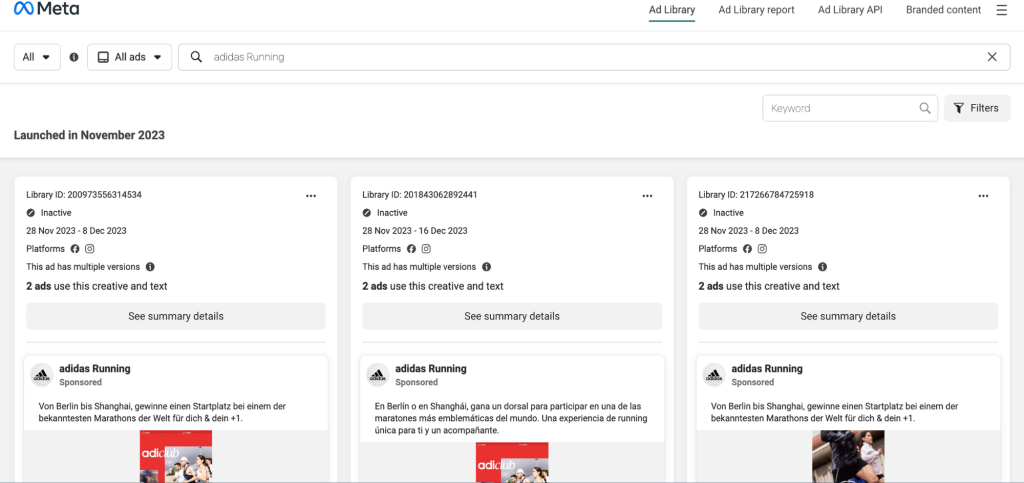
The Meta Ad Library is a powerful, free resource for spying on Instagram ads. It provides a searchable database of active ads running on Meta platforms, including Instagram. To get started, visit the library and search for your competitor’s brand profile. You’ll find a list of their active ads, complete with visuals, ad copy, and calls-to-action.
Focus on the formats they use—such as Stories, carousel posts, or videos—and observe how these creatives are designed to engage their audience. The library also allows you to track ad variations, helping you understand how brands tweak their content to target different demographics. Regularly checking the Meta Ad Library gives you access to a wealth of data that can refine your own advertising strategies without spending a penny.
Manually Monitoring Your Feed
Your own Instagram feed can be a valuable tool for uncovering competitor ad strategies. Start by interacting with accounts in your niche—like competitors’ profiles, influencers, or industry-specific hashtags. Instagram’s algorithm will begin serving you ads based on your activity.
When you come across a competitor’s ad, take time to analyse it. Look at the visuals, the tone of the messaging, and any offers or promotions being highlighted. Over time, you may notice patterns, such as how often they run ads or the types of products they promote during specific seasons. This method is simple, but with consistency, it can provide actionable insights into your competitors’ strategies.
Exploring Instagram’s Branded Content and Tagging
Influencer partnerships and branded content posts offer another way to gain insights into competitor strategies. These posts may not always appear as traditional ads but are often just as revealing. Look for influencers who tag brands in their sponsored posts and study the type of messaging and tone used.
Analyse the products or services being featured and consider the level of engagement these posts receive—likes, comments, and shares can give you a sense of how effective the partnership is. Branded content often complements broader ad campaigns, making it a great resource for understanding your competitors’ approach to audience engagement.
Tools to monitor competitor instagram ads
Competitors App Free Trial
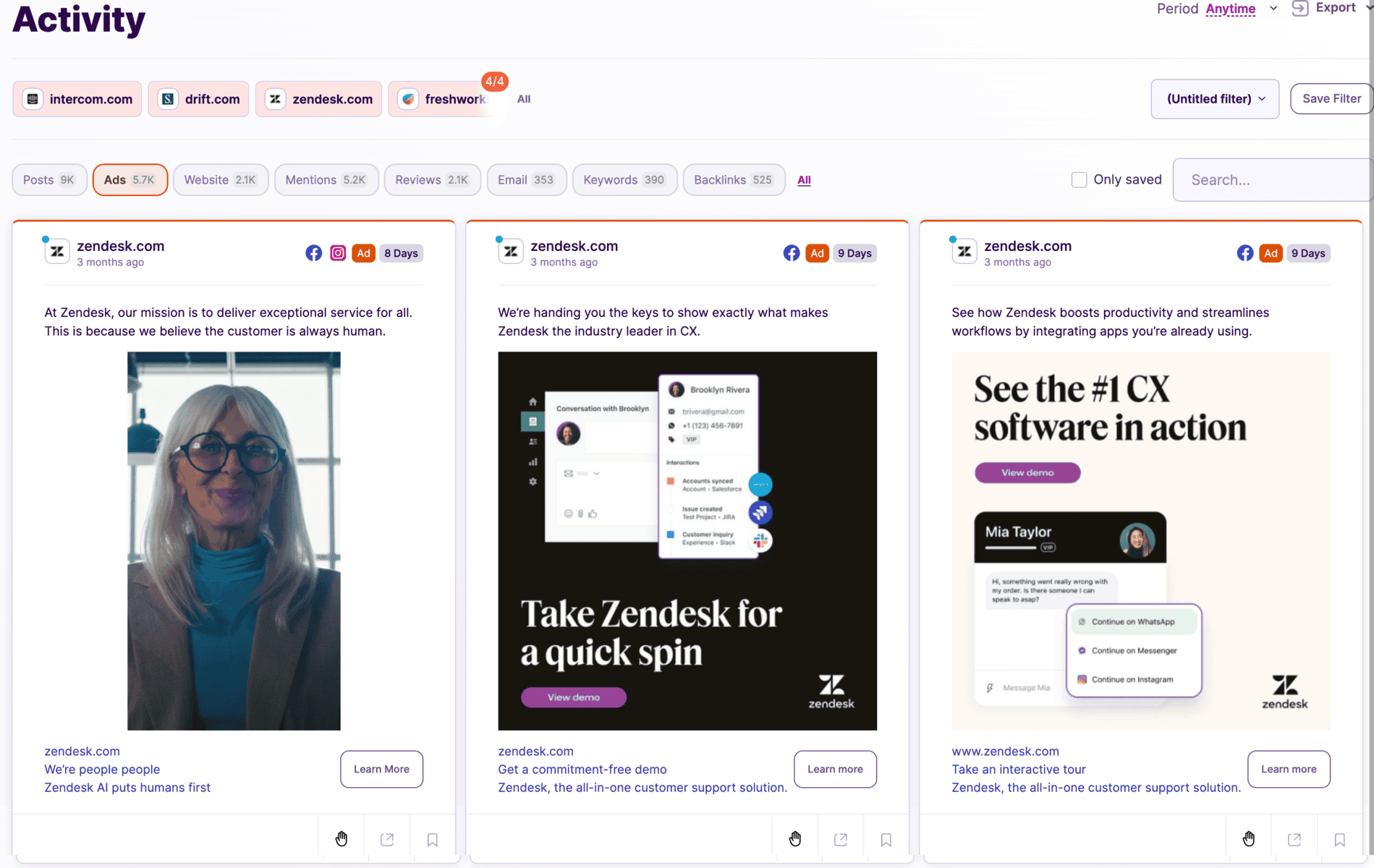
For a more structured approach, consider using the free trial offered by Competitors App. This tool is designed to streamline the process of Instagram ad spying by providing access to features like ad monitoring, performance analytics, and targeting insights.
During the trial, you can track competitor campaigns in detail, identifying which creatives perform well and how often ads are updated. The platform also saves time compared to manual methods by organising data in a user-friendly dashboard. Once the trial ends, you’ll have a clear idea of whether upgrading to a paid plan is worth the investment for your specific needs.
How to track Your Competitors’ Instagram Ads Using Competitors App
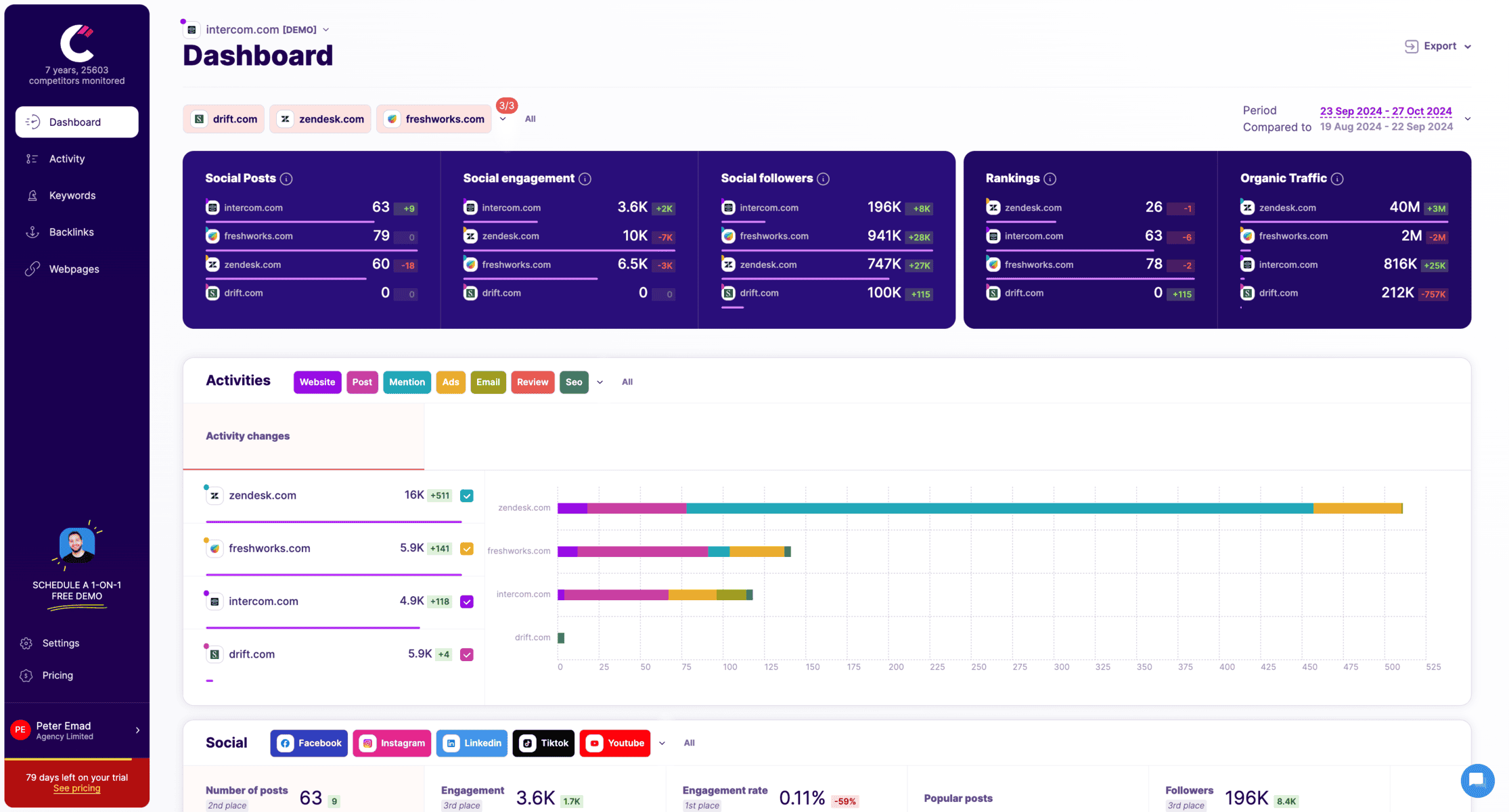
After signing up and adding your competitors, you will land on the dashboard page where you can start monitoring their activities. Follow these steps to check their Instagram ads:
Step 1: Access the Dashboard
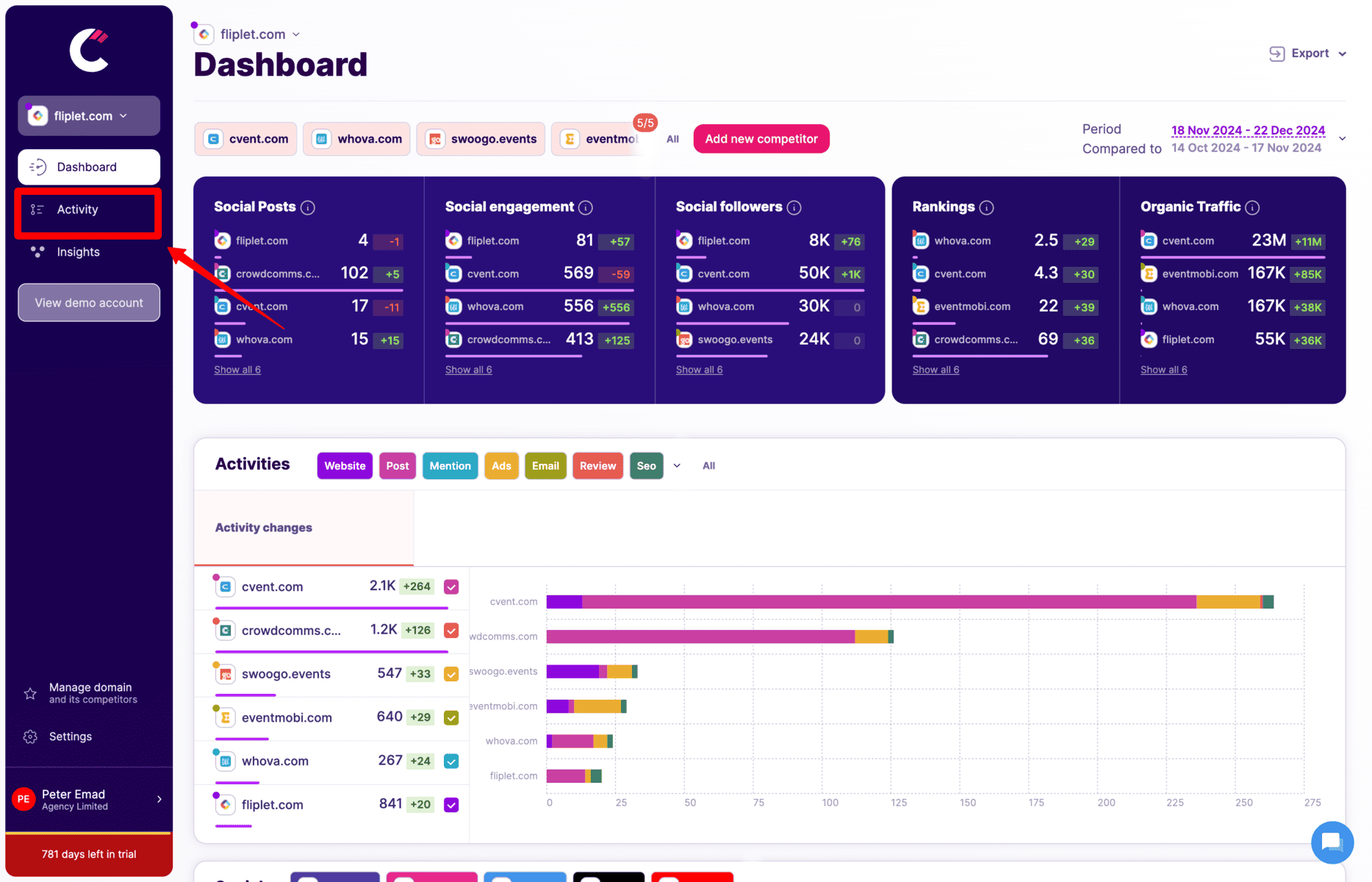
Once you've signed up in and added your competitors (as shown in the first screenshot below in the second step), the Dashboard will display key metrics such as social engagement, rankings, organic traffic, and followers for each of your competitors.
Step 2: Navigate to the "Activity" Tab
On the left-hand sidebar, click on the Activity tab. This will take you to a more detailed overview of what your competitors are doing across various digital channels.
Step 3: Filter for Ads
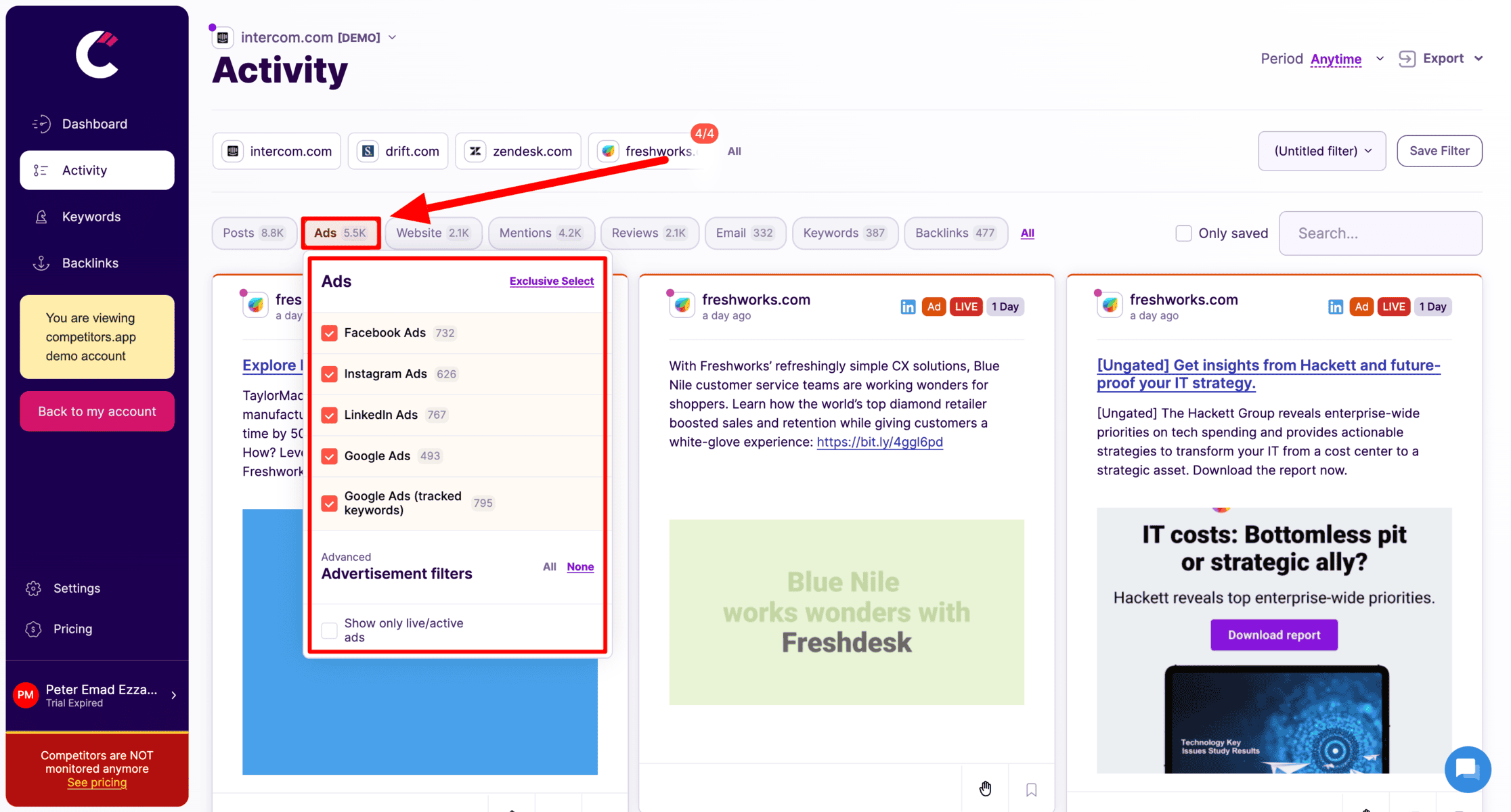
- Once you’re in the Activity tab, locate the top bar where various activities (Posts, Mentions, Ads, etc.) are shown.
- Hover over the “Ads” section (as indicated by the red arrow in the screenshot below) to see a dropdown menu.
Step 4: Select "Instagram" Ads
- From the dropdown menu under Ads, check only the “Instagram Ads” box to filter for Instagram ads specifically. This will show you all active Instagram ads that your competitors are currently running.
- You can now see the content of their ads, the messaging they use, and how often they update their campaigns, helping you gather key insights for your own advertising strategy.
By following these simple steps, you’ll be able to track and analyze your competitors’ Instagram ads using Competitors App.
Best Paid Tools for Spying on YouTube Ads
Competitors App
Competitors App is a robust platform designed to simplify competitor analysis for Instagram ads. It provides detailed insights into creative strategies, audience targeting, and ad performance. This tool automates the process, saving marketers time and offering a comprehensive view of competitor campaigns. With its user-friendly dashboard, Competitors App is suitable for businesses of all sizes looking to refine their ad strategies based on real-world data.
Features:
- Automated tracking of competitor Instagram ads.
- Performance insights, including engagement rates and creative effectiveness.
- Audience targeting analysis, helping identify key demographics.
- Dashboards for comparing multiple competitors.
Advantages:
- Saves time by automating ad monitoring.
- Provides detailed performance analytics to inform your strategy.
- Easy to track multiple competitors at once.
- Alerts for new competitor ads ensure you stay updated.
Disadvantages:
- Limited integrations with third-party tools.
- Occasional delays in updating ad data.
Pricing:
- Starts at approximately $19 per month, with advanced plans offering more features.
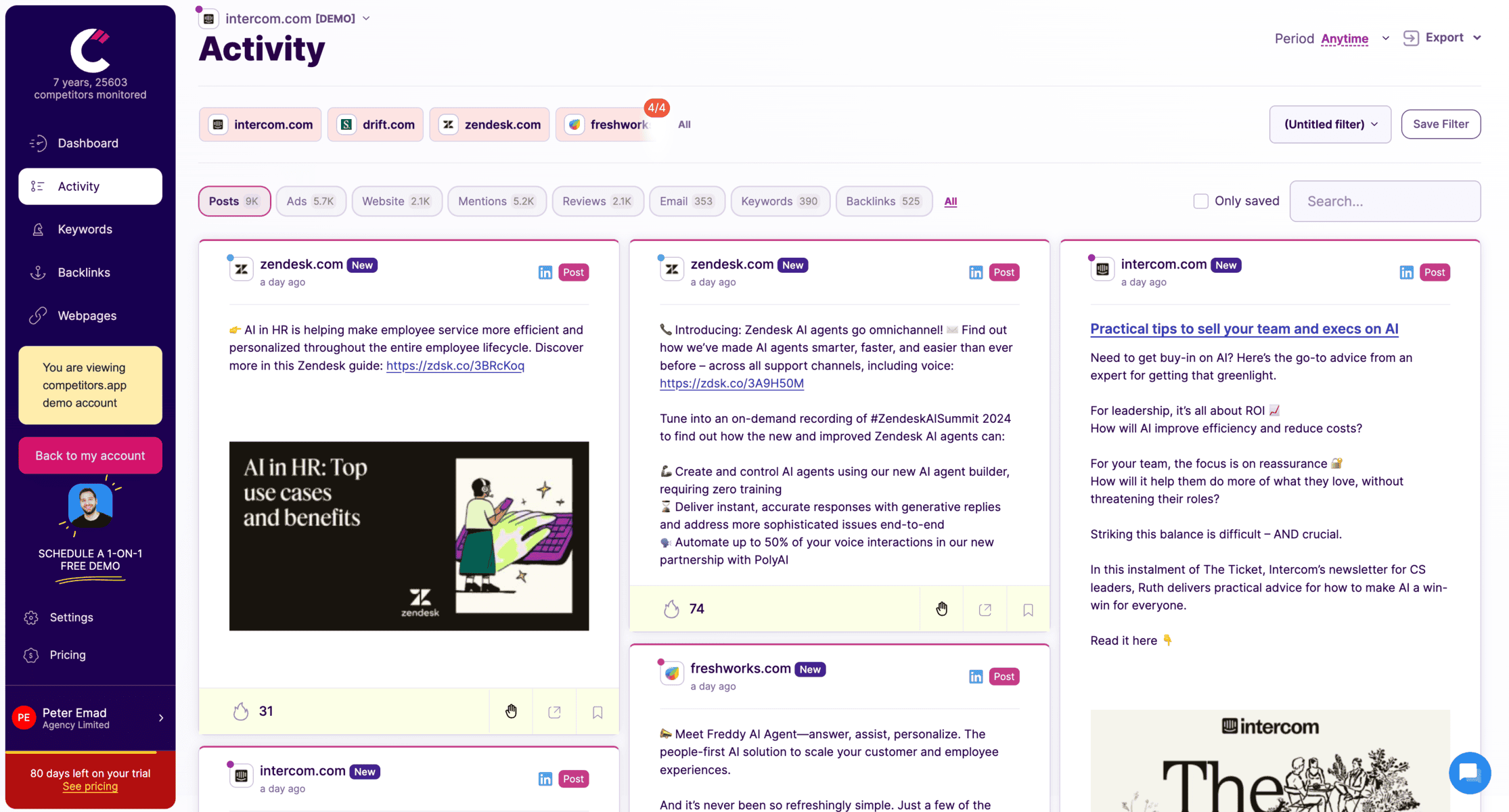
Tracks competitor social media updates across LinkedIn, Facebook, Twitter, and more.
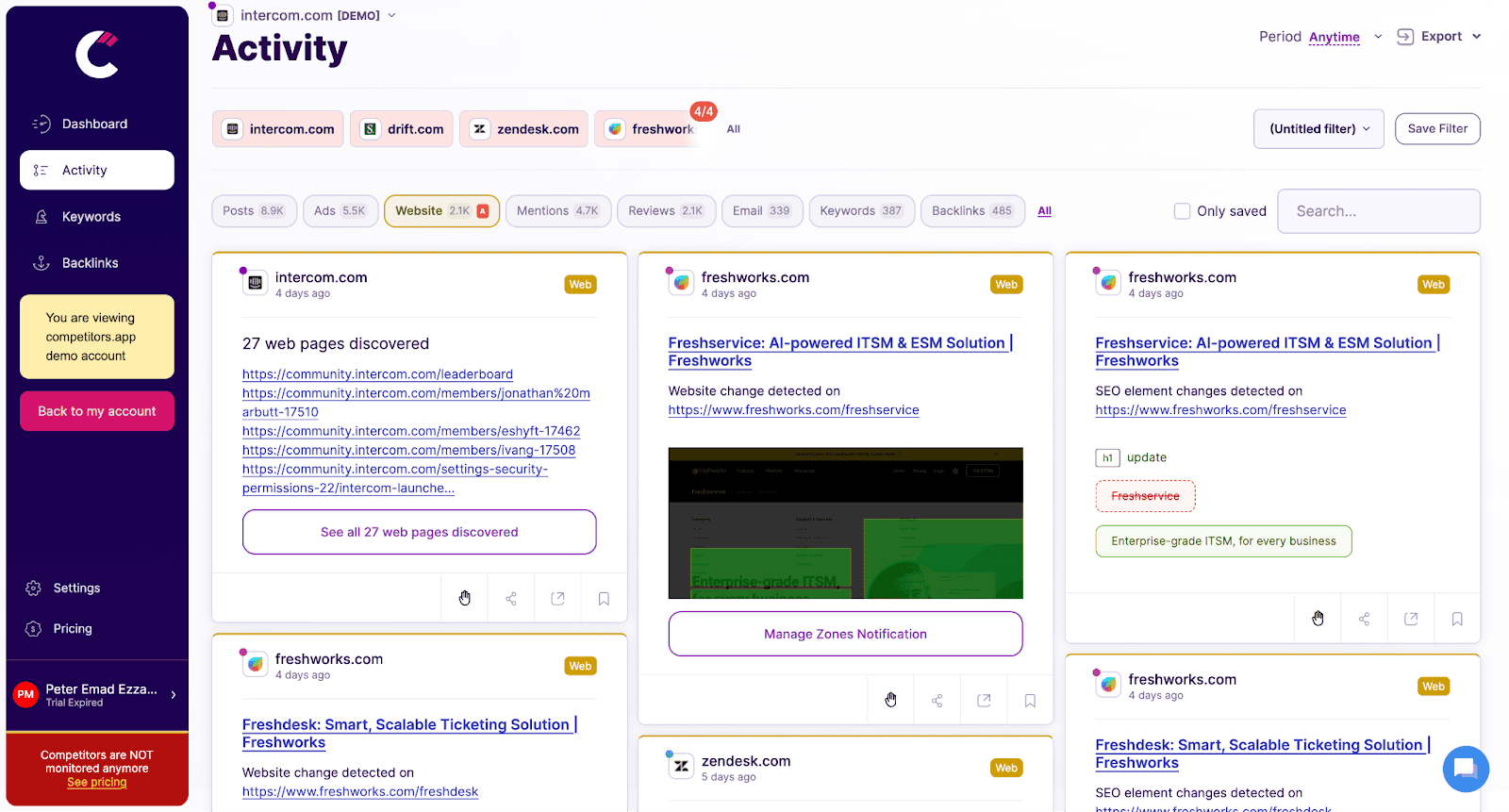
Monitors changes on competitors’ websites, such as product updates, pricing adjustments, and new messaging, providing instant alerts to help sales teams respond promptly.
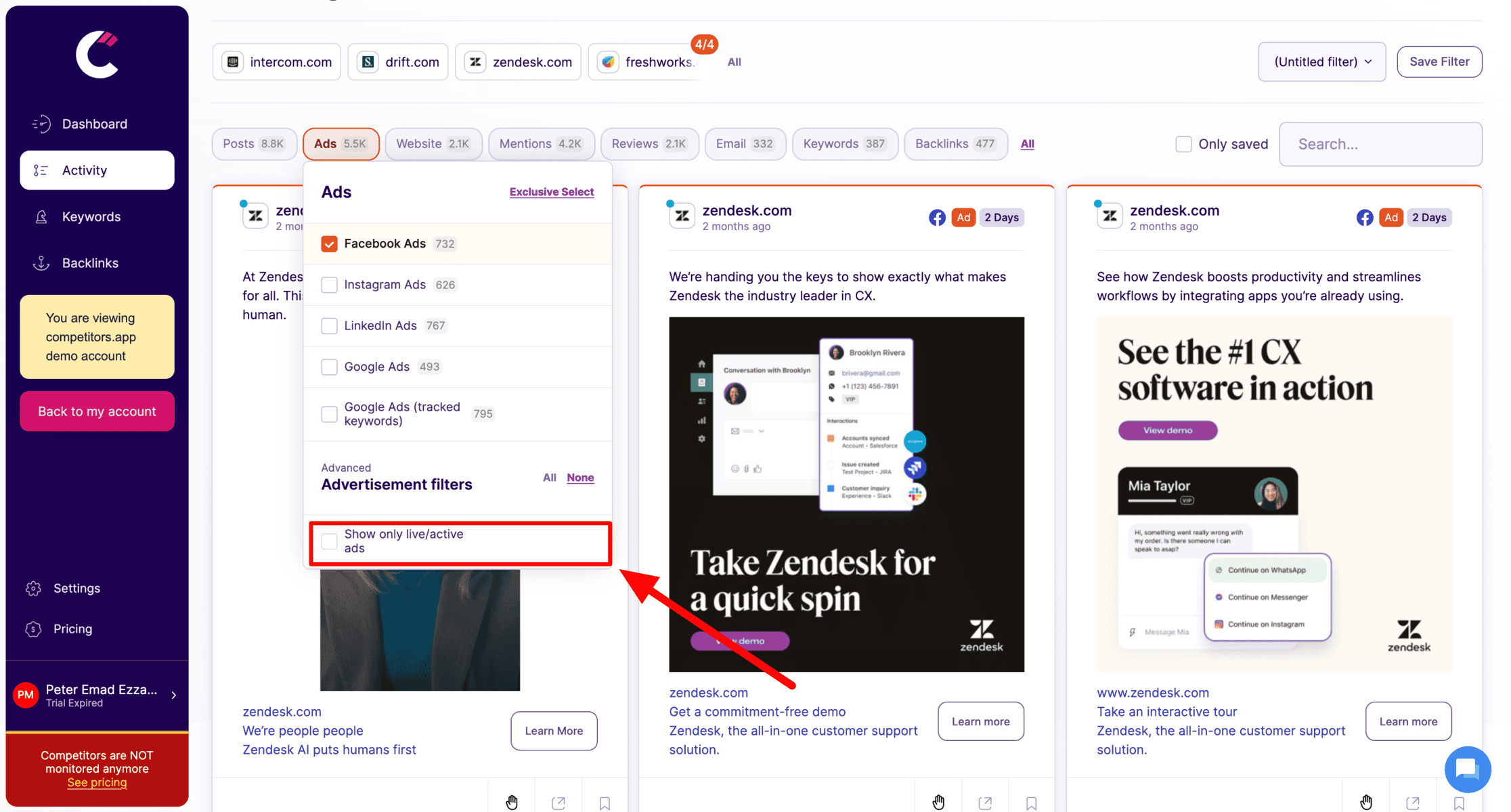
Tracks digital ad campaigns across platforms like Google Ads, Facebook, LinkedIn, and Instagram. It provides details on ad creatives, spending, and performance metrics, helping teams analyze successful ad strategies.
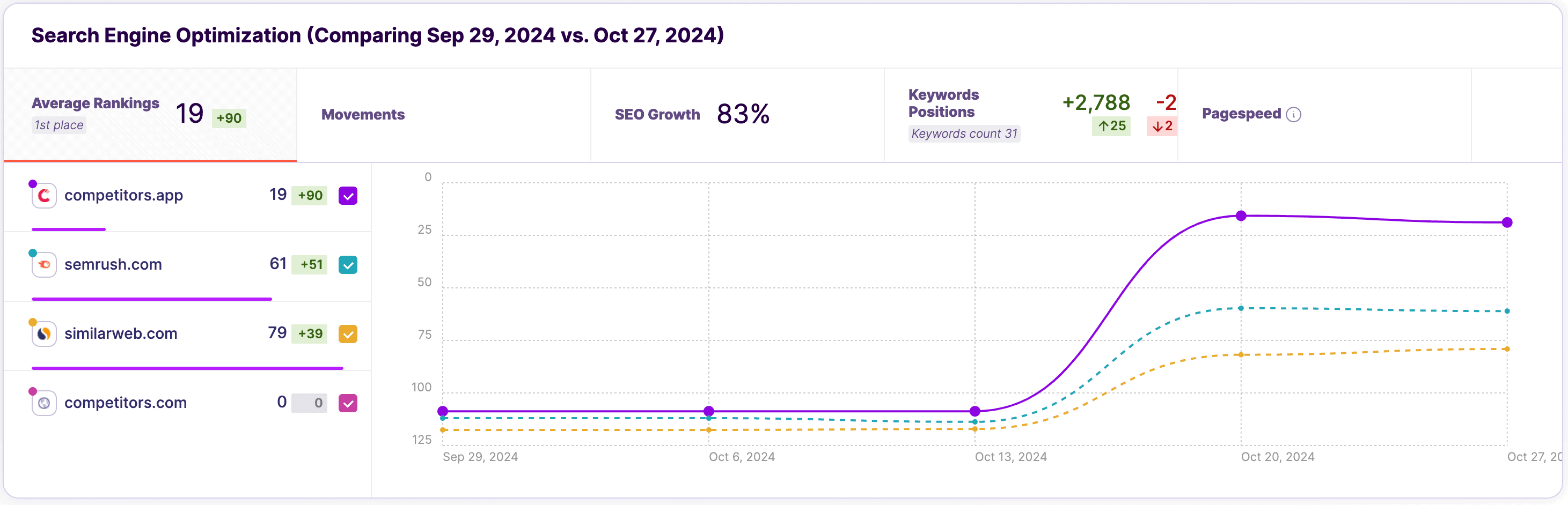
Analyzes competitors’ keyword strategies, organic rankings, and backlinks, allowing teams to refine their own SEO tactics and boost search visibility.
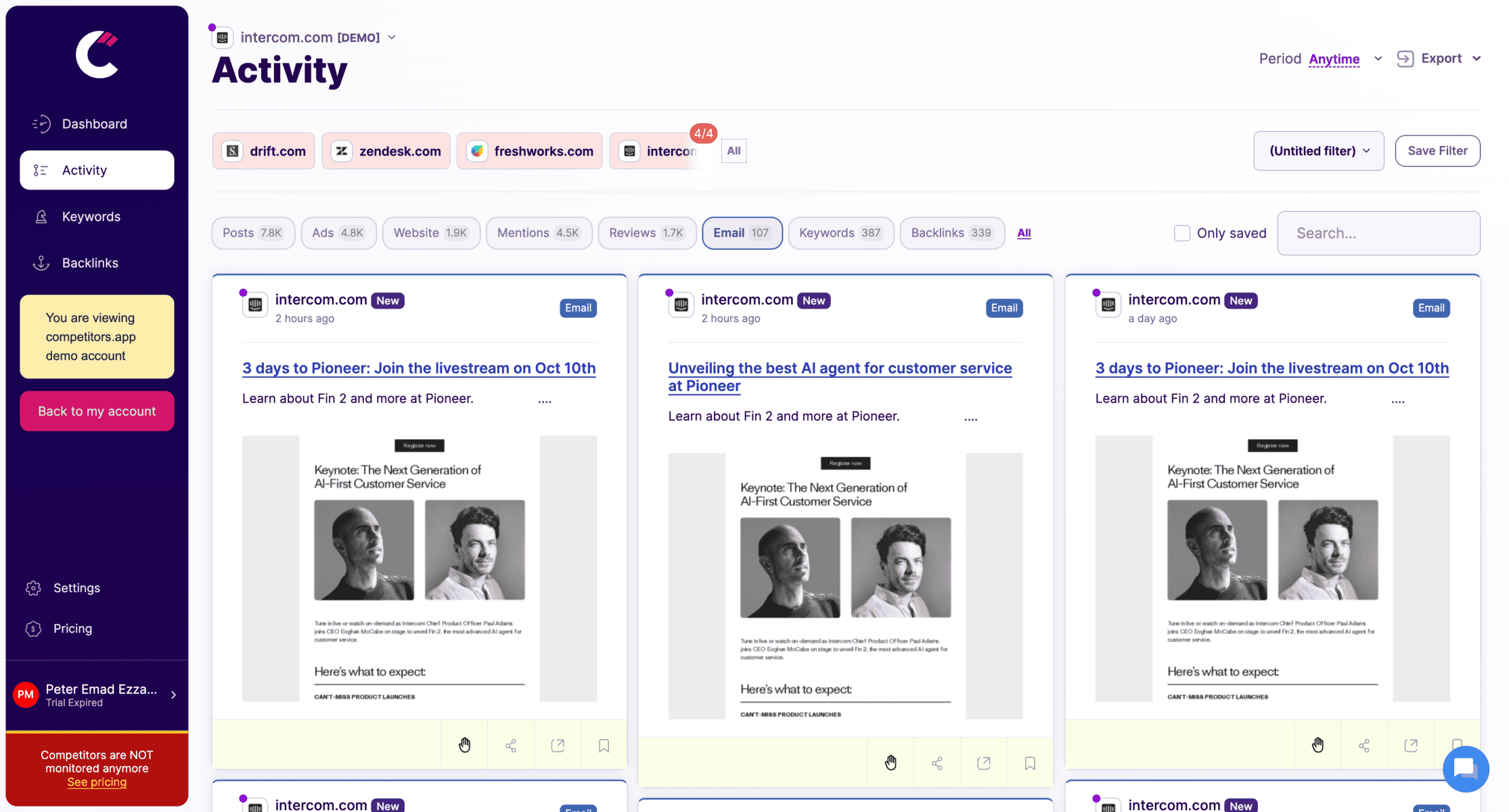
Tracks competitors’ email campaigns, including content, frequency, and engagement metrics, helping sales teams understand email tactics that drive engagement and conversions.
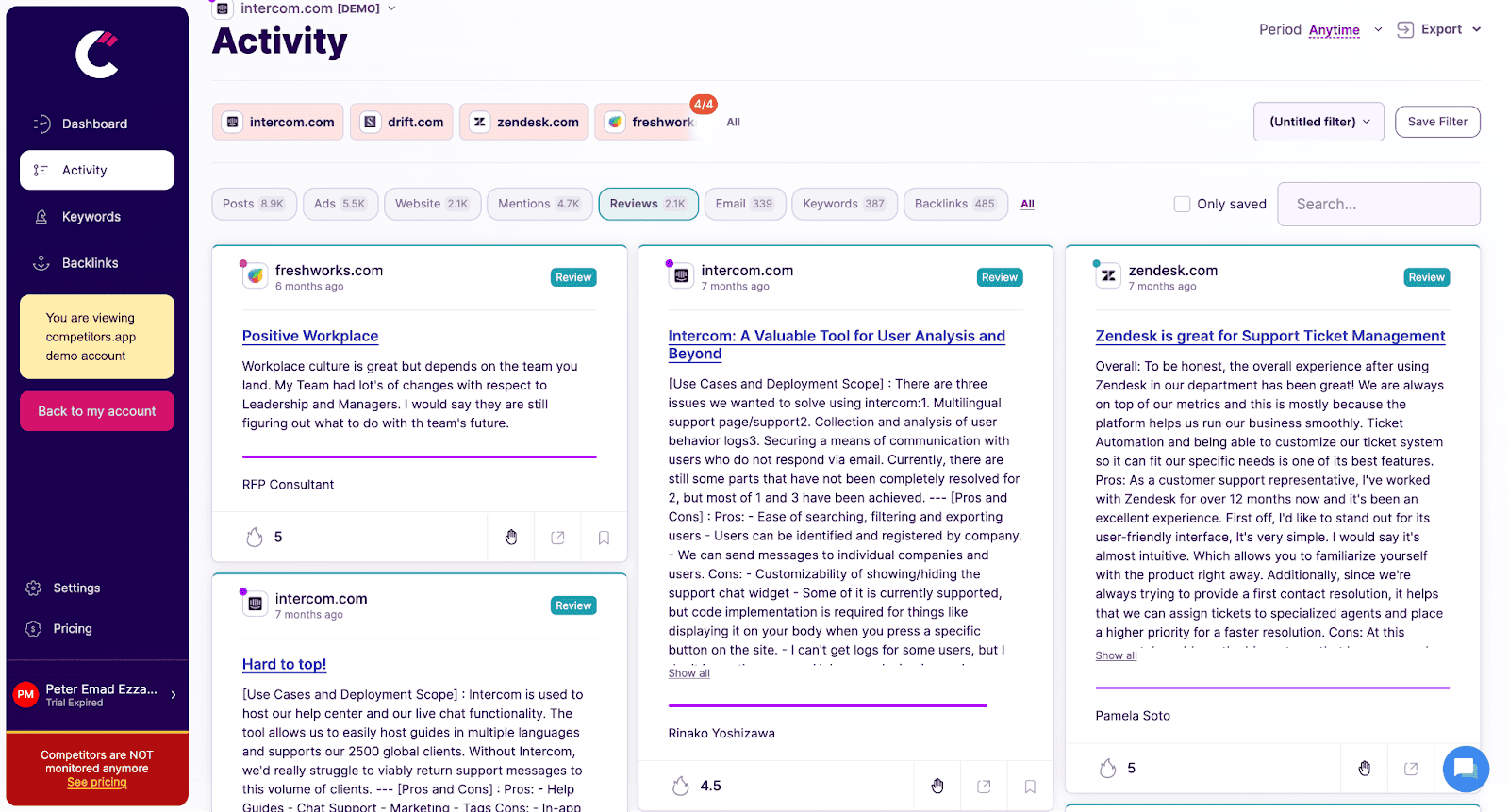
Analyzes customer reviews and ratings for competitors, providing insights into customer feedback, pain points, and product strengths, helping teams craft better sales pitches.
PowerAdSpy
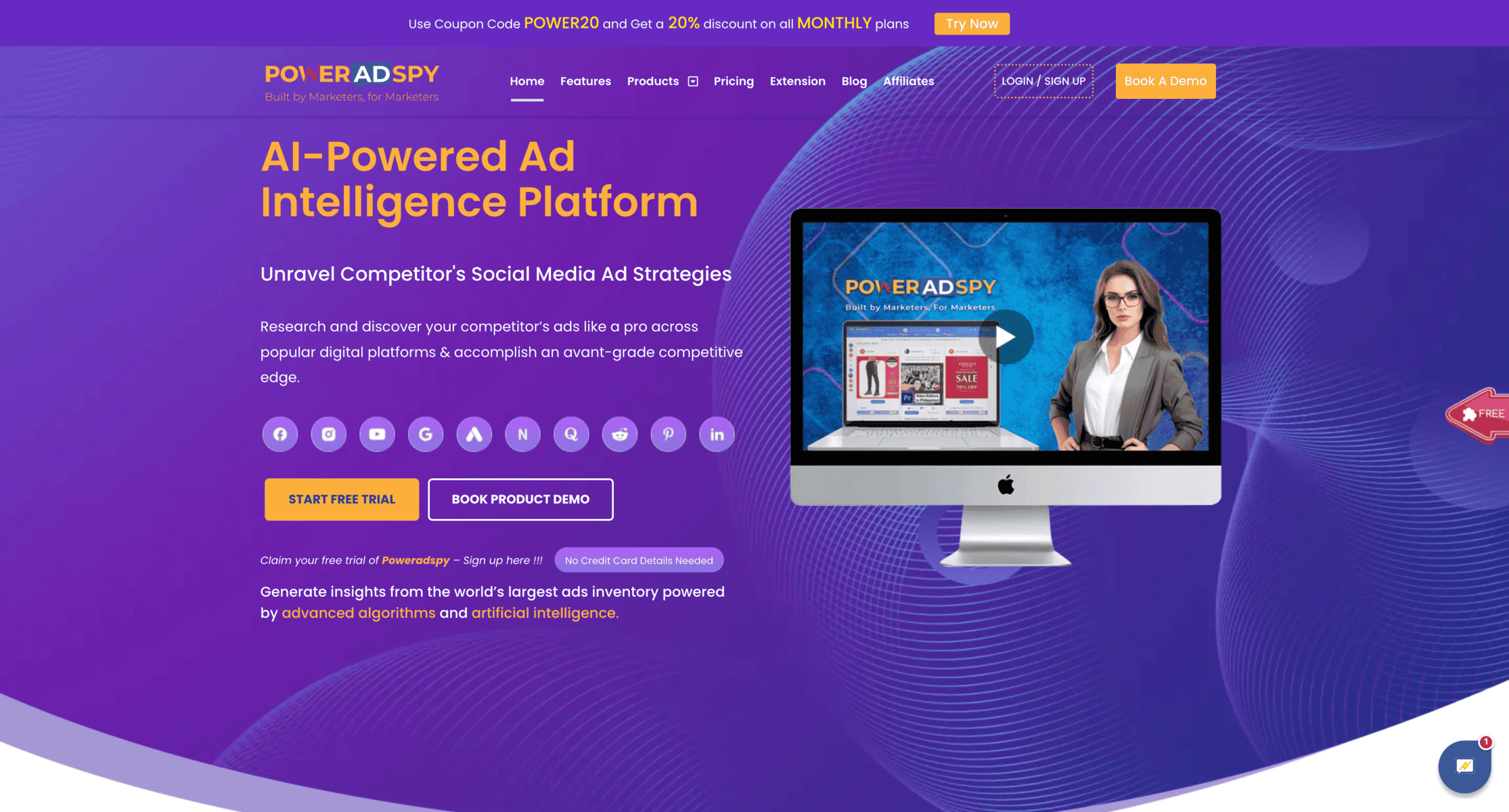
PowerAdSpy is a powerful tool that helps marketers discover Instagram ads based on keywords, engagement metrics, and niches. It offers access to a massive database of ads across multiple platforms, enabling users to identify trends and top-performing creatives in their industry. Its advanced filtering options make it particularly appealing to those looking for specific ad types or results.
Features:
- Advanced filtering options by keyword, niche, and engagement.
- Access to ads across Instagram and other platforms.
- Historical data for long-term trend analysis.
- Real-time updates on competitor campaigns.
Advantages:
- Wide database of ads provides a broad view of competitor strategies.
- Detailed filtering options allow for highly specific searches.
- Frequent updates ensure timely insights.
- Offers data from multiple platforms, not just Instagram.
Disadvantages:
- The interface can feel cluttered for new users.
- Some advanced features are locked behind higher-tier plans.
- Customer support is not always prompt.
Pricing:
- Plans start at around $49 per month, with additional features available at higher pricing tiers.
BigSpy
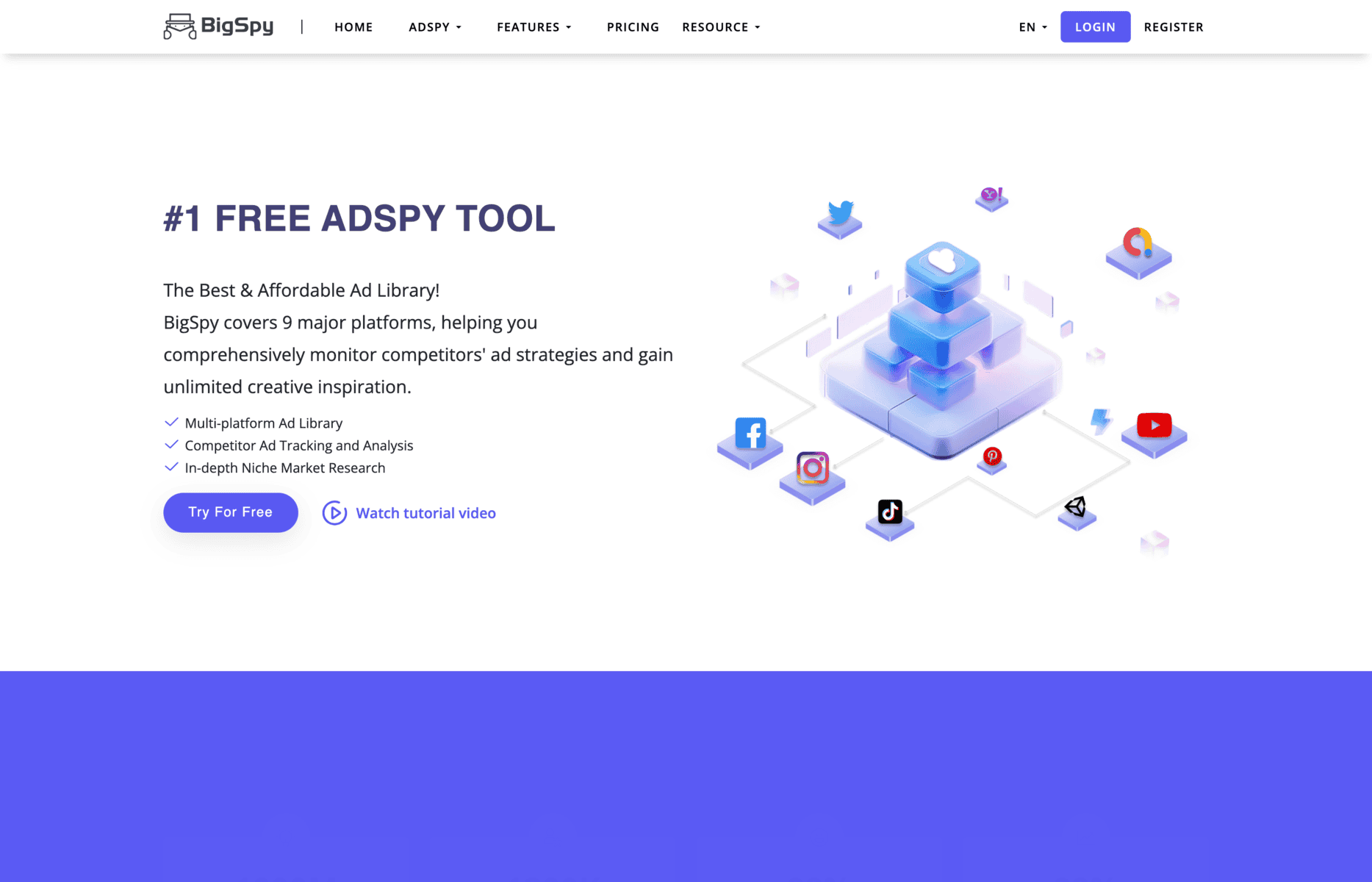
BigSpy is a versatile ad spying tool that caters to marketers looking for insights across multiple platforms, including Instagram. It stands out for its ability to search for ads by platform, format, or placement, making it easy to spot trending campaigns. With a user-friendly interface and a massive database, BigSpy is ideal for identifying creative trends and effective strategies that resonate with audiences.
Features:
- Cross-platform ad search, including Instagram, Facebook, and TikTok.
- Search by ad format (carousel, video, image) or placement.
- Trending ad identification tools to spot high-performing campaigns.
- Region and language filters for targeted insights.
Advantages:
- Extensive ad database covers multiple platforms.
- Useful for spotting creative trends and emerging strategies.
- Simplifies cross-platform comparisons for comprehensive analysis.
- Affordable pricing for its range of features.
Disadvantages:
- The interface can feel overwhelming for beginners.
- Advanced filters require higher-tier subscriptions.
- Some users report occasional slow loading times.
Pricing:
- Plans start at approximately $9 per month, with higher tiers offering more in-depth features.
AdSpy
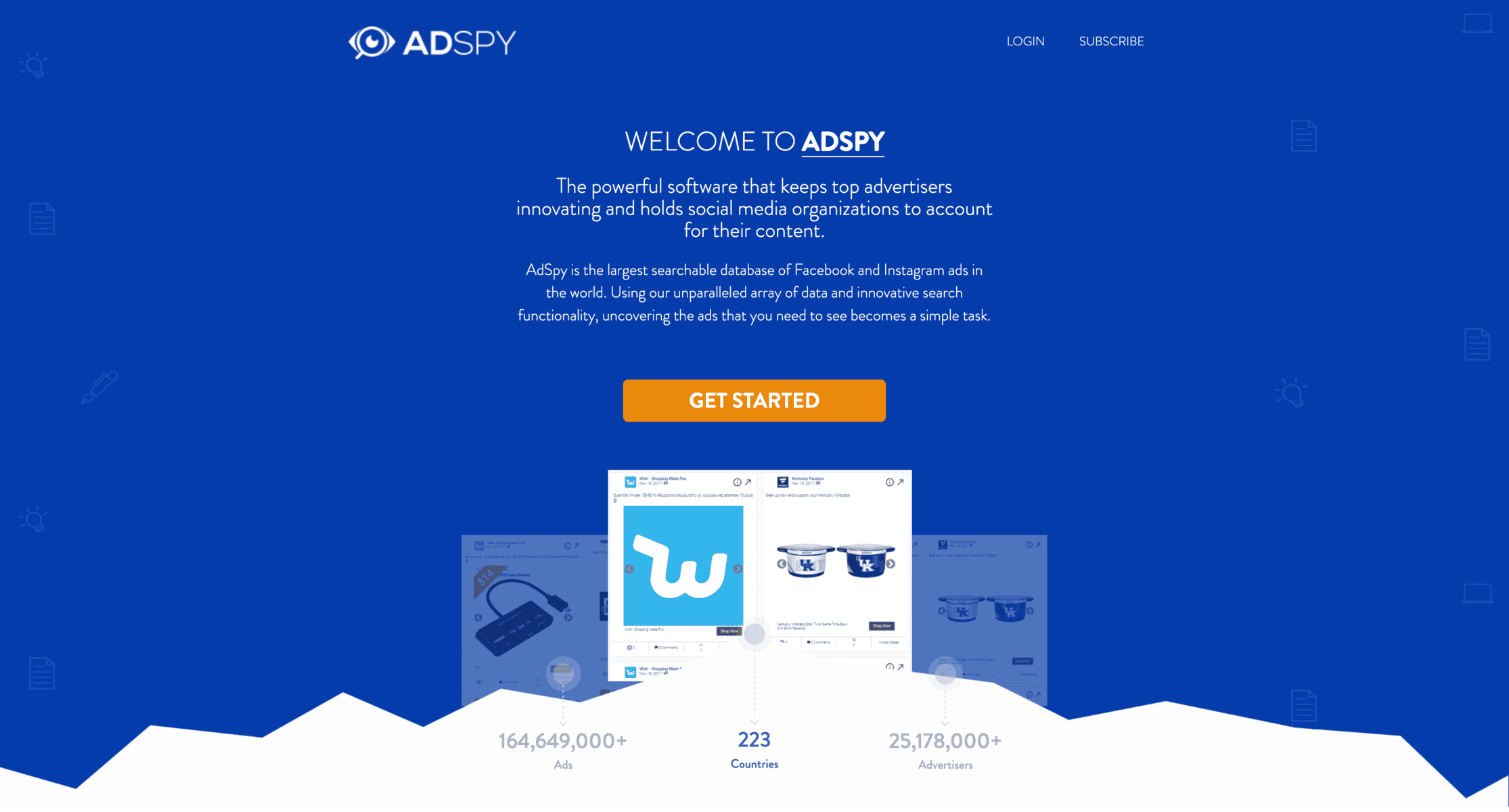
- AdSpy focuses on detailed analysis of Instagram ad content, including visuals, ad copy, and calls-to-action. It’s known for its robust filtering options that allow users to search by keywords, advertisers, or landing page URLs. AdSpy is particularly effective for uncovering high-converting creatives and offers, making it a go-to tool for marketers focused on performance-driven campaigns.
Features:
- Keyword, advertiser, and landing page search filters.
- Detailed analysis of ad copy, visuals, and calls-to-action.
- Advanced demographic and targeting insights.
- Regular updates to keep data fresh and relevant.
Advantages:
- Strong focus on content analysis helps refine ad creatives.
- Wide database with in-depth targeting filters.
- Ideal for identifying profitable offers and ad strategies.
- Frequent updates ensure up-to-date data.
Disadvantages:
- The interface has a steep learning curve.
- Limited cross-platform analysis compared to competitors.
- Higher pricing compared to other tools.
Price:
- Starts at $149/month.
How to Utilize Competitors’ Insights Into Your Instagram Ads
Understanding how to spy on Instagram ads is just the first step. The real value lies in transforming these insights into impactful strategies for your own campaigns. By analysing your competitors’ approaches, you can refine your creatives, optimise ad placements, and improve targeting—all while staying ahead of industry trends. Below, we break down key areas where competitor insights can drive actionable results.
Identifying Creative Trends
Competitor ads often reveal patterns in visuals and content that resonate with audiences. Pay attention to elements like colour schemes, video styles, and user-generated content (UGC). For example, if you notice that competitors are heavily using lifestyle imagery or dynamic Reels, test similar formats in your campaigns. Starting with small-scale experiments allows you to validate these trends with your own audience before scaling up.
Optimising Landing Pages
A seamless connection between Instagram ads and landing pages is crucial for conversions. Look at how competitors design their landing pages to match the tone and visuals of their ads. Cohesive branding, clear calls-to-action, and user-friendly navigation are essential. Apply these insights to your own campaigns by ensuring that your ad’s promise is reflected in the landing page experience. If competitors use urgency (like limited-time offers), consider testing similar approaches to boost engagement.
Experimenting With Instagram Ad Placements
Different ad placements—such as Stories, Reels, or the main feed—can significantly impact performance. Use competitor insights to identify which placements work best for their audience. For instance, if you notice higher engagement on their Stories ads, prioritise that placement in your next campaign. A/B testing placements on your own ads will help you optimise performance and allocate your budget effectively.
Refining Targeting and Messaging
Competitor insights can also guide your audience targeting and messaging tone. If your competitors consistently target specific demographics or interests, consider whether these segments align with your brand. Adjust your messaging to differentiate yourself, focusing on unique selling points that competitors might be missing. Whether it’s offering better value, exclusive deals, or a fresh perspective, these tweaks
Looking to expand your knowledge?
Check out our detailed guides on tracking and analysing ad strategies across various platforms. Learn how to spy on YouTube ads, monitor TikTok ads, and analyse Snapchat ads. Dive into insights for LinkedIn ads, and uncover strategies for Google Ads, Facebook Ads, and native ads. Don’t miss our comprehensive resources on AdWords competitor analysis and PPC competitor analysis to stay ahead in the advertising game.
FAQs About Spying on Instagram Ads
Is It Ethical to Spy on Competitors’ Instagram Ads?
Absolutely. Spying on Instagram ads is ethical when you’re analysing publicly available data, such as ads shown in the Meta Ad Library or those served on your feed. It’s about observing and learning, not duplicating or engaging in deceptive practices. Platforms like the Meta Ad Library are specifically designed to provide transparency, so using these resources is entirely within ethical boundaries. The key is to focus on improving your strategies, not undermining others.
Can I Spy on Competitors’ Ads Without Paid Tools?
Yes, you can gather a significant amount of insight without spending money. Free resources like the Meta Ad Library allow you to view active ads from any brand. Additionally, manual methods such as monitoring your feed and observing branded content posts can provide valuable data. However, free methods often lack depth, and analysing large amounts of data manually can be time-consuming. Paid tools, while an investment, streamline the process and offer advanced insights that free options can’t provide.
How Can I Protect My Own Instagram Ads From Competitors’ Analysis?
While you can’t prevent others from seeing your ads, you can stay ahead by constantly innovating. Regularly update your creatives, experiment with new formats, and keep your strategies fresh. Focus on unique selling points that competitors can’t easily replicate, such as exclusive partnerships or custom product features. Staying agile and adapting quickly ensures your campaigns remain effective, even if others are watching.
What Are the Limitations of Using Free Methods to Spy on Ads?
Free methods, while useful, have some limitations. They often provide surface-level insights, lacking detailed performance data like engagement rates or demographic targeting. Additionally, free techniques like manually monitoring your feed can be time-consuming and may not give a comprehensive picture of a competitor’s strategy. Paid tools address these gaps by offering in-depth analytics, historical data, and the ability to track multiple competitors simultaneously.
How Can I Use Competitor Insights Without Copying Their Ads?
The goal of spying on competitor ads isn’t to duplicate their campaigns but to learn from their successes and failures. Use their strategies as inspiration to refine your own approach. For example, if a competitor’s ad uses a specific visual style that resonates with your audience, test a similar design while ensuring your messaging and branding remain unique. Focus on your own value propositions and build on what you’ve learned to create ads that stand out.