
Introduction: Comparing WooCommerce and Webflow in Website Building
WooCommerce and Webflow are two prominent tools in the website builder market, each serving distinctive purposes and appealing to different user needs.
Main Purposes:
-
WooCommerce: Primarily designed for eCommerce, WooCommerce is a WordPress plugin that allows users to set up and manage online stores seamlessly. Its focus is on providing robust shopping cart functionalities and extensive product management features.
-
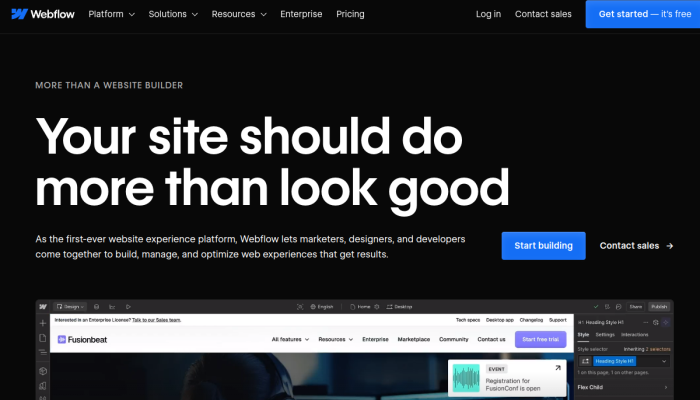
Webflow: A versatile design platform that combines visual design and content management, Webflow is primarily aimed at creatives and developers looking to build responsive websites without extensive coding. Its strengths lie in design flexibility and user experience.
Reasons for Popularity: Users often consider WooCommerce for its integration with WordPress, vast array of eCommerce features, and strong community support. In contrast, Webflow attracts those seeking advanced design control and the ability to create visually stunning websites without compromising on functionality.
Primary Comparison Aspects:
- Features: Examine eCommerce capabilities in WooCommerce versus design features in Webflow.
- Pricing: Analyze cost structures, including setup and ongoing expenses for both platforms.
- Ease of Use: Consider user-friendliness for beginners and advanced users alike.
- Customization: Evaluate the depth of customization options available on each platform.
- SEO and Analytics: Discuss tools and integrations for search engine optimization and performance tracking.
This overview facilitates an informed decision for users choosing the right website builder based on their specific needs and objectives.
Woocommerce VS Webflow: Which tool is the most popular?
| Tool | Number of Reviews | Average Rating | Positive Reviews | Neutral Reviews | Negative Reviews |
|---|---|---|---|---|---|
| Woocommerce | 44 | 1.86 | 9 | 1 | 34 |
| Webflow | 31 | 2.61 | 13 | 0 | 18 |
Woocommerce is the most reviewed tool, with a total of 44 reviews. However, it has the lowest average rating of 1.86, indicating a predominantly negative perception, with 34 out of 44 reviews marked as negative.
In contrast, Webflow, with 31 reviews, holds a higher average rating of 2.61. It has a greater number of positive reviews (13) compared to Woocommerce but also features a significant count of negative feedback (18).
Overall, Woocommerce is the least popular based on both average rating and the proportion of negative reviews, while Webflow, despite having fewer reviews, appears to be more positively perceived.

Woocommerce and Webflow: Quick Comparison Overview
| Feature | Ahrefs | SEMrush |
|---|---|---|
| Primary Features | – Site Explorer | – Domain Overview |
| – Keyword Explorer | – Keyword Research | |
| – Content Explorer | – Site Audit | |
| – Rank Tracker | – Backlink Analytics | |
| – Site Audit | – Social Media Tools | |
| – Clustering Tool | – Advertising Research | |
| – Backlink Checker | – Organic Research | |
| Target Audience | – SEO professionals | – Marketers & Advertising Specialists |
| – Content marketers | – Small to large businesses | |
| – Agencies | – E-commerce sites | |
| – Bloggers | – Content creators | |
| Main Advantages | – Rich backlink database | – Comprehensive all-in-one tool |
| – Strong focus on SEO tools | – Extensive keyword database | |
| – User-friendly interface | – Great competitor analysis | |
| – Excellent for site audits | – Versatile reporting features | |
| – Strong tracking capabilities | – Advanced PPC research | |
| Core Value Proposition | Detailed SEO analysis and backlink profile tracking, ideal for optimizing website visibility. | A complete digital marketing suite that covers SEO, PPC, and social media analytics for comprehensive strategy development. |
| Ideal Use Cases | – Analyzing competitor backlinks | – Running multi-channel digital marketing campaigns |
| – Finding keyword opportunities | – Tracking pay-per-click strategies | |
| – Performing in-depth site audits | – Monitoring social media performance | |
| – Crafting content strategies based on SEO data | – Conducting market research and analysis |
Most liked vs most disliked features of Woocommerce and Webflow
| Platform | Most Liked Features | Most Disliked Features |
|---|---|---|
| WooCommerce | – Responsive, human-based customer support compared to competitors. – High level of customization for eCommerce setups. – Free plugin for WordPress, offering strong functionality. – Easy to install and configure. – Support for multiple payment gateways (e.g., Stripe, PayPal). |
– Sudden account suspensions without clear explanations. – Overpriced extensions leading to increased costs. – Dissatisfaction with reporting functions. – Concerns over potential scams on hosted sites. – Frustration with automated responses to account issues. |
| Webflow | – High level of customization for professional websites. – Accessible and powerful for users with basic HTML/CSS knowledge. – Quick refunds enhance customer satisfaction. – Non-developers can easily create and manage websites. – Empowers users to pursue web design careers. |
– Steep learning curve may deter complete beginners. – Inadequate support experienced by some users. – Complex functionalities can overwhelm novices. – Comparisons to simpler platforms highlight unmet needs. – Concerns over pricing versus support received. |
Key Features of Woocommerce vs Webflow
Sure! Here’s a comparative overview of key features of WooCommerce and Webflow as website builders, along with their benefits and unique aspects.
WooCommerce
1. E-commerce Functionality:
- Benefit: WooCommerce excels at transforming WordPress sites into fully functional online stores, allowing users to sell physical and digital products effortlessly.
- Unique Aspect: It is specifically designed for e-commerce, making it a robust option for businesses looking to establish an online retail presence.
2. Customizable Product Pages:
- Benefit: Users can create detailed product pages with custom attributes, pricing, and shipping options, enhancing the shopping experience.
- Unique Aspect: With options for variable products, customers can select sizes, colors, and other attributes directly on the product page.
3. Extensive Plugin Library:
- Benefit: WooCommerce integrates seamlessly with thousands of plugins, allowing users to extend functionality for payments, shipping, marketing, and more.
- Unique Aspect: The ability to customize with addons means users can tailor their stores to meet unique business needs without starting from scratch.
4. Payment Gateway Integration:
- Benefit: Built-in support for various payment gateways like PayPal, Stripe, and others simplifies the payment process, encouraging sales.
- Unique Aspect: WooCommerce enables users to add multiple payment methods without complex configurations.
5. Inventory Management:
- Benefit: Offers tools to track stock levels, notify customers of low stock, and handle backorders, simplifying store management.
- Unique Aspect: The comprehensive inventory management helps small business owners streamline their operations.
6. Mobile Optimization:
- Benefit: WooCommerce themes are mobile responsive, ensuring a seamless shopping experience across devices.
- Unique Aspect: As part of the WordPress ecosystem, it benefits from the platform’s mobile-friendly capabilities.
7. Community Support and Resources:
- Benefit: A large community and numerous resources are available, including forums, documentation, and tutorials, making it easier for users to find help.
- Unique Aspect: The community-driven environment means continual updates and improvements based on user feedback.
Webflow
1. Visual Design Interface:
- Benefit: Webflow offers a drag-and-drop interface that allows users to design websites visually without writing code. This empowers designers to create custom layouts easily.
- Unique Aspect: It merges design and development, enabling users to produce professional-quality sites quickly, bridging the gap between code and design.
2. Responsive Design Tools:
- Benefit: Users can design for multiple screen sizes directly, ensuring that websites look great on desktops and mobile devices.
- Unique Aspect: With breakpoints and visual elements, users can tailor experiences for specific devices, enhancing usability.
3. CMS Functionality:
- Benefit: The built-in Content Management System allows users to create structured content with collections and custom fields.
- Unique Aspect: Users can customize the content model to fit their needs, which is particularly useful for content-heavy websites.
4. E-commerce Capabilities:
- Benefit: Webflow provides e-commerce functionalities to create online stores, complete with product management and checkout processes.
- Unique Aspect: Unlike many website builders, Webflow allows users to design e-commerce pages completely visually, integrating design and functionality seamlessly.
5. SEO Optimization:
- Benefit: Built-in features for SEO, including customizable meta tags, alt text for images, and clean code, enhance visibility in search engine rankings.
- Unique Aspect: The platform facilitates user-friendly URL structures and automatic sitemap generation without additional plugins.
6. Hosting and Site Management:
- Benefit: Webflow offers hosting solutions with fast load times and SSL certificates, simplifying website management for users.
- Unique Aspect: It combines hosting with the website builder, providing an all-in-one solution that can be easier for users to manage than separate services.
7. Animation and Interaction Features:
- Benefit: Users can add animations and interactions with minimal effort, enhancing user engagement and making websites more dynamic.
- Unique Aspect: Webflow’s advanced animations can be implemented without coding knowledge, making complex interactions accessible to non-developers.
Conclusion
WooCommerce is an ideal choice for those specifically looking to create e-commerce websites with extensive features for managing stores, while Webflow stands out for its design capabilities and flexibility, catering to users who want to visually design their sites without delving deep into coding. Depending on a user’s specific needs—be it robust e-commerce functionality or powerful design tools—the right choice will vary.
Woocommerce vs Webflow Pricing Comparison
| Feature | WooCommerce Pricing | Webflow Pricing |
|---|---|---|
| Cost Structure | Free core plugin; additional costs for extensions and hosting. | Monthly or annual subscriptions for various plans. |
| Free Trial | No free trial; free core plugin available for WordPress. | Free plan available with limited features and Webflow branding. |
| Monthly Pricing | Variable; typically $0 to $300+ for various extensions and hosting. | Starts at $18/month for the Basic Plan. |
| Annual Pricing | No fixed price; annual costs depend on chosen extensions and hosting. | Starts at $144/year ($12/month), discounted rates for annual plans. |
| Basic Plan | N/A (Variable based on extensions). | $18/month (or $144/year). Basic features, limited CMS and hosting. |
| CMS Plan | N/A (Variable based on extensions). | $29/month (or $288/year). Includes CMS features and more storage. |
| Business Plan | N/A (Variable based on extensions). | $49/month (or $540/year). Advanced features include custom code. |
| Enterprise Solutions | N/A (Custom pricing based on requirements). | Custom pricing for larger businesses with advanced needs. |
| Payment Processing | WooCommerce does not charge transaction fees; payment gateways may charge fees. | 2% transaction fee on Basic and CMS plans; waived on Business plan. |
| Hosting Requirements | Self-hosted (requires separate hosting plan). | Hosting included with all plans. |
| Customization | High level of customization with extensions and custom code. | Drag-and-drop visual editor; custom code capabilities on premium plans. |
| Support | Community support; paid support for premium extensions. | Email support for all plans; priority support for higher tiers. |
| SEO Features | Varies based on extensions used. | Built-in SEO tools on all plans. |
| E-commerce Support | Comprehensive e-commerce features built into WooCommerce. | E-commerce available on CMS and Business plans; additional costs for features. |
Key differences include WooCommerce being a free plugin with extended capabilities through paid extensions, while Webflow offers structured tiered pricing with included hosting. Each platform caters to different user needs, with WooCommerce suited for those comfortable with WordPress and requiring extensive customization, whereas Webflow targets users who prefer a visually managed site-building experience.
Support Options Comparison: Woocommerce vs Webflow
| Support Feature | WooCommerce | Webflow |
|---|---|---|
| Live Chat | Available, but may have limited hours. | Available during business hours. |
| Phone Support | No direct phone support available. | No direct phone support available. |
| Documentation | Comprehensive documentation is provided, covering setup, customization, and troubleshooting. | Extensive documentation covers design, development, and troubleshooting. |
| Webinars/Tutorials | Offers various tutorials and community forums for additional learning resources. | Provides webinars, video tutorials, and a dedicated learning platform for users. |
| Community Support | Active community forums for peer support. | Community forums available for user interactions and support. |
| Email Support | Email support available for inquiries and issues. | Email support available for hosting-related issues. |
This comparison highlights the different support options available for both WooCommerce and Webflow, showcasing their strengths in documentation and community engagement, while both lacking direct phone support.
Unique Features of Woocommerce Vs Webflow
| Feature | WooCommerce Unique Aspects | Webflow Unique Aspects | Added Value |
|---|---|---|---|
| E-commerce Focus | Specifically designed for online retail, providing advanced features like product variations, inventory management, and customer accounts. | Webflow offers a visual design tool that integrates e-commerce functionalities seamlessly with custom styling. | Tailored for businesses with e-commerce needs, providing tools that enhance sales through inventory control and customer engagement. |
| Extensive Plugin Ecosystem | A robust library of plugins and extensions to enhance functionality, such as payment gateways, shipping options, and analytics. | Limited plugin ecosystem, with more emphasis on custom integration but still supports essential functionalities. | Flexibility in customizing online stores with specific tools necessary for unique business models. |
| Open Source | Fully open-source nature allows for unlimited customization and control over site functionality. | Webflow is more proprietary, with limited customization options outside its architecture. | Provides businesses with the ability to implement unique features and maintain control over their codebase, catering to niche requirements. |
| Dynamic Pricing Options | Advanced pricing configurations, including discounts, customer roles, and memberships for tailored pricing strategies. | Webflow offers basic pricing functionalities but lacks complex strategies natively. | Enables businesses to maximize revenue through personalized pricing strategies, appealing to diverse customer segments and purchasing behaviors. |
| Shipping and Tax Features | Offers built-in shipping calculators, customizable shipping rules, and automated tax calculation based on location. | Webflow has integrated shipping features but with less flexibility for complex setups or rules. | Simplifies the complex logistics of e-commerce, ensuring users can cater to various shipping rates and tax requirements effectively. |
| Membership Functionality | Facilitates creating membership sites with subscription management directly through WooCommerce. | Limited membership features that can be achieved through third-party integrations. | Essential for businesses looking to create a recurring revenue model or offer exclusive content, enhancing customer loyalty and retention. |
| In-depth Analytics | Robust reporting tools for tracking sales, customer behavior, and conversions with deep-dive analytics capabilities. | Basic analytics provided, but less comprehensive than WooCommerce’s offerings. | Empowers businesses to make informed decisions based on actionable insights, enhancing marketing and sales strategies. |
| Product Attribute Variations | Allows for multiple variations of products (size, color) enhancing customer choice and potential upsells. | Limited variation options compared to WooCommerce’s capabilities; dependent on design structure. | Increases chances of sales by allowing customers to select specific product attributes, improving user experience and satisfaction. |
| Community and Support | Large community support, extensive documentation, and forums for troubleshooting and help. | Supports a dedicated user forum but less extensive in comparison to WooCommerce. | Provides reassurance and resource availability for users to solve issues or learn from shared knowledge, which can be vital for business continuity. |
These unique features offered by WooCommerce and Webflow not only set them apart from standard website builders but also add significant value to businesses by providing tailored tools and capabilities. The potential for customization, advanced e-commerce functions, and supportive ecosystems can be deciding factors for developers and business owners looking to establish a competitive online presence.

