
ReportGarden vs. AgencyAnalytics
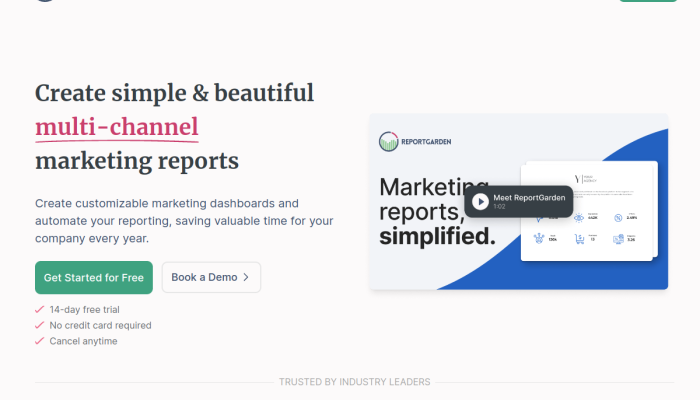
ReportGarden and AgencyAnalytics help marketing agencies collect data from platforms such as Google Ads and social media, then turn it into client-ready reports and dashboards. Both are commonly considered by agencies looking to save time on reporting, monitor campaign performance, and present results under their own branding.
This comparison looks at their reporting features and integrations, pricing, ease of use, customization, and suitability for different agency needs—helping you decide which tool fits your workflow and budget.
ReportGarden VS Agency Analytics: Which tool is the most popular?
| Tool | Reviews | Average rating | Sentiment breakdown | Popularity summary |
|---|---|---|---|---|
| Agency Analytics | 27 | 4.70/5 | 25 positive, 1 neutral, 1 negative | Most popular by review volume |
| ReportGarden | 13 | 4.77/5 | 13 positive, 0 neutral, 0 negative | Least reviewed, but highest rated |
Agency Analytics has the larger review count, while ReportGarden earns a slightly higher average rating and has exclusively positive reviews.

ReportGarden and Agency Analytics: Quick Comparison Overview
| Category | Ahrefs | Semrush |
|---|---|---|
| Primary features | SEO research tools for backlink analysis, keyword research, site audits, rank tracking, and content research. | Broader digital-marketing suite covering SEO, competitor research, site audits, rank tracking, content marketing, local SEO, PPC, and social media. |
| Target audience | SEO specialists, content teams, and agencies focused on organic search and link building. | In-house marketing teams, agencies, and businesses managing several digital-marketing channels. |
| Main advantages | Strong backlink and competitor research, with a focused toolkit for finding SEO and content opportunities. | Wider range of marketing tools in one platform, especially useful for combining SEO with paid, local, and social campaigns. |
| Core value proposition | Make organic-search research and link-building workflows more effective. | Manage and measure a broader digital-marketing program from one platform. |
| Ideal use cases | Analyzing competitors’ backlinks, researching keywords and content gaps, auditing a site, and tracking organic rankings. | Coordinating SEO with PPC, local visibility, content, and social efforts; conducting cross-channel competitor research. |
Sources: Ahrefs features · Semrush features
Feature availability varies by plan and may change.
Most liked vs most disliked features of ReportGarden and Agency Analytics
| Platform | Overall sentiment |
|---|---|
| ReportGarden | Users value its intuitive reporting tools, time-saving automation, responsive support, integrations with advertising platforms, and customizable reports. Concerns include API-related data gaps, limited advanced reporting capabilities, formatting challenges, a learning curve for new users, and pricing that may be high for smaller agencies. |
| AgencyAnalytics | Users praise its ease of use, responsive customer support, broad integrations, customizable dashboards, and attention to feedback. Criticisms include gaps in native integrations, missing specialized features, tools that may feel basic compared with competitors, a learning curve, and questions about value for the price. |
Key Features of ReportGarden vs Agency Analytics
Reporting tools: ReportGarden vs. AgencyAnalytics
| Feature | ReportGarden | AgencyAnalytics |
|---|---|---|
| Cross-channel reporting and dashboards | Combines marketing data in dashboards and reports, helping agencies see campaign performance across channels without assembling figures manually. | Provides customizable dashboards that bring client and campaign metrics together, making performance easier to monitor and explain. |
| Automated reports | Lets agencies create and deliver recurring reports, reducing repetitive reporting work and keeping clients updated. | Supports scheduled, automated reports, so agencies can send regular updates without rebuilding them each time. |
| Customizable, branded reports | Reports can be tailored to clients and branded for an agency, helping agencies present data in a consistent, professional format. | Offers customizable report templates and white-label options, allowing agencies to make reports and client-facing materials their own. |
| Marketing platform integrations | Connects reporting to marketing data sources, so agencies can consolidate results from different campaigns. | Integrates with a broad range of marketing platforms, helping agencies gather client data in one place and report across channels. |
| SEO reporting and tools | Supports SEO reporting, helping agencies communicate search performance to clients. | Combines SEO reporting with tools such as rank tracking, site auditing, and backlink monitoring. This lets users both report on SEO and investigate issues or progress within the platform. |
| PPC and paid-campaign reporting | Supports reporting on paid campaigns, helping users track results and share performance with clients. | Offers paid-marketing reporting alongside its other channel reports, giving agencies a consolidated view of campaign results. |
| Client-facing access | Helps agencies package performance information for clients through branded reports and dashboards. | Offers client-facing dashboards and portal features, so clients can access their reporting in a more self-serve way. |
What stands out
- ReportGarden: Its positioning extends beyond reporting into agency operations, including features such as proposals and budget management. That can suit agencies looking to connect campaign reporting with parts of their sales and account-management workflow.
- AgencyAnalytics: Its distinguishing strength is the combination of reporting with built-in SEO tools—particularly rank tracking, site audits, and backlink monitoring—along with client-facing dashboards and a wide range of integrations.
Sources: ReportGarden app tour · AgencyAnalytics features
ReportGarden vs Agency Analytics Pricing Comparison
| Brand and tier | Monthly billing | Annual billing (monthly equivalent) | Main offering |
|---|---|---|---|
| ReportGarden — Starter | $149/month | $119/month | Core dashboards and automated reporting for smaller agencies; supports up to 10 clients. |
| ReportGarden — Professional | $299/month | $239/month | Adds capacity for up to 25 clients, suited to growing agencies managing more accounts and reporting workflows. |
| ReportGarden — Agency | $499/month | $399/month | Supports up to 50 clients and is aimed at larger agencies with higher-volume reporting needs. |
| AgencyAnalytics — Freelancer | $99/month | $79/month | Entry plan for freelancers, with up to 5 client campaigns and the platform’s reporting and dashboard tools. |
| AgencyAnalytics — Agency | $299/month | $239/month | Higher campaign capacity and agency-oriented features, including white-labeling and client-facing reporting. |
| AgencyAnalytics — Agency Pro | $499/month | $399/month | Adds more advanced agency controls and features for larger or more complex operations. |
| AgencyAnalytics — Enterprise / custom | Custom quote | Custom quote | Tailored pricing and features for larger organizations; contact sales. |
Differences and discounts
| Comparison point | ReportGarden | AgencyAnalytics |
|---|---|---|
| How tiers scale | Primarily by client capacity: 10, 25, or 50 clients. | Primarily by campaign capacity and access to higher-level agency features. Freelancer includes 5 campaigns; higher tiers offer greater capacity and functionality. |
| Core focus | Reporting, dashboards, and agency marketing workflows. | SEO and marketing reporting, dashboards, and client-facing agency tools. |
| Annual discount | Annual billing is about 20% less than paying month to month. | Annual billing is about 20% less than paying month to month. |
| Free trial | A 14-day free trial is offered. | A 14-day free trial is offered. |
| Custom pricing | Contact the company for needs beyond the listed tiers. | An Enterprise/custom option is available for larger requirements. |
Prices are in USD. Annual prices shown are monthly equivalents when billed annually; listed rates and plan limits can change.
Support Options Comparison: ReportGarden vs Agency Analytics
| Support option | ReportGarden | AgencyAnalytics |
|---|---|---|
| Live chat | The contact page does not clearly describe live chat as a support channel. | The support article directs customers to contact the team through the in-app chat. |
| Phone support | The contact page provides telephone contact details. | The support article says phone support is not offered. |
| Documentation | The contact page focuses on getting in touch; it does not prominently link to a support knowledge base. | AgencyAnalytics provides a Help Center with written support articles and troubleshooting guidance. |
| Webinars, tutorials, and other resources | The contact page does not highlight webinars or tutorials. | The support article points customers toward self-service help resources; webinars and tutorials are not its main focus. |
| Overall | Offers direct contact options, including phone, but the cited page gives limited detail about self-service support. | Emphasizes chat and documentation, with no phone support. |
Unique Features of ReportGarden Vs Agency Analytics
| Brand | Less-common feature | Added value | Why it may be a deciding factor |
|---|---|---|---|
| ReportGarden | Proposals and invoicing alongside reporting | Agencies can handle client-facing proposals and billing in the same platform as campaign reporting, reducing handoffs between tools and keeping client work in one workflow. | A stronger fit for agencies seeking more than a reporting layer—especially those wanting to manage parts of the sales and billing process in one system. |
| ReportGarden | Campaign budget pacing and management | Helps teams monitor spend against budgets and manage campaigns, rather than only summarizing results after the fact. | Useful for agencies responsible for active campaign delivery, where catching overspend or underspend early matters as much as producing reports. |
| AgencyAnalytics | Built-in SEO tools, including rank tracking, site audits, and backlink monitoring | Combines recurring SEO reporting with tools for checking rankings, technical site issues, and backlinks. Teams can monitor performance and investigate potential causes without relying entirely on separate SEO products. | A deciding factor for SEO-focused agencies that want client reporting and routine SEO monitoring in one platform. |
| AgencyAnalytics | Client portal and white-label reporting | Gives clients a branded place to view dashboards and reports, rather than relying only on emailed documents. | Valuable for agencies that want a more self-service client experience and a consistent branded presence. |
| AgencyAnalytics | Goals, annotations, and a marketing calendar | Adds context to performance data: teams can track targets, note important events or changes, and relate activity to results over time. | Helpful when clients need an explanation of why metrics changed, not just a chart showing that they did. |
These are differentiators rather than features exclusive to either product; availability varies across reporting platforms. ReportGarden’s strongest distinction is its inclusion of agency operations such as proposals and invoicing. AgencyAnalytics stands out for pairing reporting with SEO monitoring and client-facing tools.
Sources: ReportGarden app tour · AgencyAnalytics features

