
Introduction: Comparing DashThis and ReportGarden
In the realm of reporting tools, DashThis and ReportGarden stand out as popular choices for marketers and agencies seeking to streamline their reporting processes. Both platforms aim to simplify data visualization and enhance decision-making by providing comprehensive insights into campaign performance and metrics.
Main Purposes:
- DashThis is designed to create visually appealing dashboards that aggregate data from various marketing channels, allowing users to quickly understand their performance at a glance.
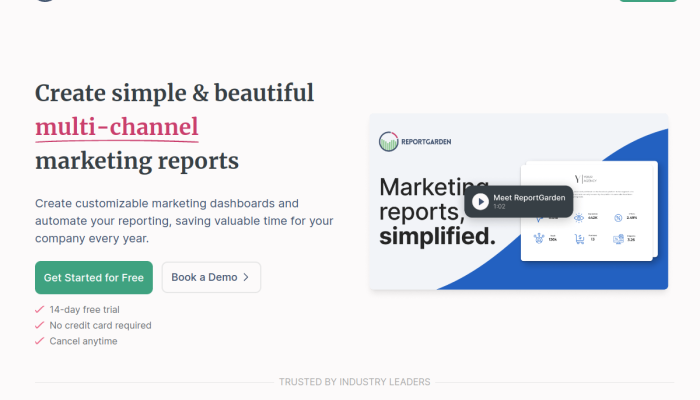
- ReportGarden, on the other hand, focuses on offering detailed reports and analytics specifically tailored for digital marketers, providing insights into client campaigns and performance metrics.
Common User Considerations:
Users often choose these tools for their ability to save time, automate reporting tasks, and create professional-looking reports that impress clients and stakeholders.
Primary Comparison Aspects:
-
Features:
- DashThis offers customizable dashboards, real-time data integration, and a wide range of widgets for different metrics.
- ReportGarden provides advanced reporting templates, campaign performance tracking, and budget management tools.
-
Pricing:
- DashThis has tiered pricing based on the number of users and dashboards, making it suitable for businesses of various sizes.
- ReportGarden also follows a tiered pricing model but may offer more flexible options for smaller agencies or freelancers.
-
Ease of Use:
- DashThis is known for its intuitive drag-and-drop interface, making it user-friendly even for those without technical expertise.
- ReportGarden, while feature-rich, may require a bit of a learning curve for new users due to its comprehensive capabilities.
This comparison will provide potential users with a clearer understanding of which tool aligns better with their specific reporting needs and preferences.
DashThis VS ReportGarden: Which tool is the most popular?
| Tool | Number of Reviews | Average Rating | Positive Reviews | Neutral Reviews | Negative Reviews |
|---|---|---|---|---|---|
| ReportGarden | 13 | 4.77 | 13 | 0 | 0 |
| DashThis | 8 | 4.25 | 7 | 0 | 1 |
ReportGarden is the most popular tool with 13 reviews and the highest average rating of 4.77. It has received all positive feedback with no neutral or negative reviews. In contrast, DashThis is the least popular tool, with 8 reviews and a lower average rating of 4.25. It has a single negative review alongside 7 positive ones.

DashThis and ReportGarden: Quick Comparison Overview
| Feature | Ahrefs | SEMrush |
|---|---|---|
| Primary Features | – Site Explorer | – Domain Overview |
| – Keyword Explorer | – Keyword Research | |
| – Content Explorer | – Site Audit | |
| – Rank Tracker | – Backlink Analytics | |
| – Site Audit | – Social Media Tools | |
| – Clustering Tool | – Advertising Research | |
| – Backlink Checker | – Organic Research | |
| Target Audience | – SEO professionals | – Marketers & Advertising Specialists |
| – Content marketers | – Small to large businesses | |
| – Agencies | – E-commerce sites | |
| – Bloggers | – Content creators | |
| Main Advantages | – Rich backlink database | – Comprehensive all-in-one tool |
| – Strong focus on SEO tools | – Extensive keyword database | |
| – User-friendly interface | – Great competitor analysis | |
| – Excellent for site audits | – Versatile reporting features | |
| – Strong tracking capabilities | – Advanced PPC research | |
| Core Value Proposition | Detailed SEO analysis and backlink profile tracking, ideal for optimizing website visibility. | A complete digital marketing suite that covers SEO, PPC, and social media analytics for comprehensive strategy development. |
| Ideal Use Cases | – Analyzing competitor backlinks | – Running multi-channel digital marketing campaigns |
| – Finding keyword opportunities | – Tracking pay-per-click strategies | |
| – Performing in-depth site audits | – Monitoring social media performance | |
| – Crafting content strategies based on SEO data | – Conducting market research and analysis |
Most liked vs most disliked features of DashThis and ReportGarden
| Feature | DashThis | ReportGarden |
|---|---|---|
| Most Liked Features | – Seamless integration with multiple data sources to save time. | – Intuitive platform with easy widget editing and report creation. |
| – Intuitive, easy-to-use interface accessible for all skill levels. | – Automation saves time in report generation and allows scheduling report deliveries. | |
| – Outstanding customer support with quick responses and personalized video guides. | – Responsive customer support for optimizing platform usage. | |
| – Automation of reporting processes reduces time spent on data retrieval. | – Ability to consolidate data from various ad platforms into one report, beneficial for agencies. | |
| – Custom reports can be created using drag-and-drop functionality. | – High report customization levels tailored to specific client needs. | |
| Most Disliked Features | – Desire for additional integrations (e.g., Amazon Ads, Google My Business). | – Incomplete data pulling due to API restrictions, leading to gaps in reporting. |
| – Restrictions in comparing data across widgets. | – Simplicity may not meet advanced reporting needs, with requests for more sophisticated tools. | |
| – Challenges with data integration from various sources, resulting in occasional glitches. | – Formatting and aesthetic challenges hinder report presentation; improved customization options are requested. | |
| – Inability to generate offline reports or send PDFs of dashboards. | – Difficult initial navigation suggests a need for better onboarding processes. | |
| – Need for more advanced reporting options, like year-to-date comparisons. | – Perceived high pricing, especially for smaller client bases, necessitating more scalable or transparent pricing options. |
Key Features of DashThis vs ReportGarden
Sure! Here’s a comparison of the key features of "DashThis" and "ReportGarden," highlighting their benefits to users and any unique aspects each platform offers.
DashThis
-
Pre-built Templates:
- Benefit: DashThis offers a variety of pre-built report templates tailored for different industries and metrics. This allows users to get started quickly without needing to design reports from scratch.
- Unique Aspect: The customizable nature of these templates means users can easily adapt them to specific needs, making reporting less time-consuming.
-
Data Source Integrations:
- Benefit: DashThis integrates with numerous data sources (e.g., Google Analytics, Facebook Ads, and more), enabling users to pull in data seamlessly and create comprehensive reports.
- Unique Aspect: The extensive range of integrations allows users to visualize data from diverse platforms in one dashboard, consolidating reporting efforts.
-
Automated Report Generation:
- Benefit: Users can automate the generation and scheduling of reports to be sent out via email, saving time and ensuring timely updates.
- Unique Aspect: The feature eliminates manual reporting processes, thereby reducing the likelihood of human errors and ensuring consistency.
-
Live Reporting:
- Benefit: DashThis offers real-time data visualization, so users can access up-to-date information without waiting for scheduled reports.
- Unique Aspect: This feature is particularly valuable for digital marketers needing to make data-driven decisions quickly.
-
Collaboration Tools:
- Benefit: Team members can collaborate on reports, leaving comments and notes directly on the dashboards.
- Unique Aspect: The collaboration aspect is built directly into the report-generating process, fostering communication among teams.
ReportGarden
-
Custom Dashboards:
- Benefit: ReportGarden allows users to create highly customizable dashboards that reflect specific metrics and KPIs relevant to their business objectives.
- Unique Aspect: Users can create unique views, specific to different stakeholders, enhancing focus on relevant information.
-
White-Labeled Reports:
- Benefit: Agencies can brand the reports with their own logo and colors, helping them maintain brand consistency when presenting to clients.
- Unique Aspect: This level of customization is particularly beneficial for agencies wanting to present a professional image.
-
Client Management Tools:
- Benefit: ReportGarden includes features specifically designed for client management, which allow agencies to track client projects, billing, and performance in one place.
- Unique Aspect: This integration between reporting and client management tools streamlines the user experience for agencies.
-
Budget Tracking:
- Benefit: Users can monitor budgets against campaign performance in real-time, aiding in financial decision-making.
- Unique Aspect: This financial oversight feature is especially useful for marketing teams looking to align marketing spend with ROI.
-
Flexible Reporting:
- Benefit: ReportGarden enables users to create reports that can include multiple clients, metrics, and formats all in one place.
- Unique Aspect: The flexibility here allows for a tailored approach to reporting on various campaigns or clients, which is useful for agencies handling diverse accounts.
Conclusion
Both DashThis and ReportGarden provide powerful reporting tools tailored to their respective audiences. DashThis excels in providing a rapid setup with templates and live reporting capabilities, ideal for users needing quick insights. Meanwhile, ReportGarden stands out with its client-focused features such as white-labeled reports and integrated client management tools, making it a perfect choice for agencies. Each tool has unique offerings, catering to different needs within the reporting landscape.
DashThis vs ReportGarden Pricing Comparison
| Feature/Brand | DashThis | ReportGarden |
|---|---|---|
| Free Trial | 15 Days Free Trial | 14 Days Free Trial |
| Monthly Pricing – Basic | $39/month | $49/month |
| Monthly Pricing – Standard | $79/month | $149/month |
| Monthly Pricing – Pro | $179/month | $449/month |
| Annual Pricing – Basic | $468/year ($39/month billed annually) | $490/year ($49/month billed annually) |
| Annual Pricing – Standard | $828/year ($69/month billed annually) | $1,490/year ($149/month billed annually) |
| Annual Pricing – Pro | $1,788/year ($149/month billed annually) | $4,490/year ($449/month billed annually) |
| Key Features – Basic | 3 dashboards, 3 data sources, basic widgets | 1 client, basic reporting features, limited templates |
| Key Features – Standard | 10 dashboards, 10 data sources, advanced widgets | 5 clients, advanced reporting features, more templates |
| Key Features – Pro | Unlimited dashboards, unlimited data sources, premium widgets | Unlimited clients, all features included, custom reporting capabilities |
| Notable Differences | Focus on visual dashboards and user-friendly interface | Strong focus on SEO and PPC reports with detailed analytics |
| Support | Email support, chat support available for higher tiers | Email support, phone support available for all tiers |
| Discounts | 10% off for annual plans | None stated on the pricing page, but often has promotional offers |
This table outlines the comparative pricing tiers and features of DashThis and ReportGarden, highlighting the essential differences and offerings available at each level.
Support Options Comparison: DashThis vs ReportGarden
| Support Option | DashThis | ReportGarden |
|---|---|---|
| Live Chat | Available during business hours | Available during business hours |
| Phone Support | Not available | Available, specific number provided on the site |
| Documentation | Comprehensive help center with articles and FAQs | Comprehensive help center with articles and FAQs |
| Webinars/Tutorials | Regular webinars and tutorials offered | Offers tutorials but no specific webinars listed |
Conclusion:
Both DashThis and ReportGarden provide robust documentation and live chat support during business hours. ReportGarden stands out with dedicated phone support, while DashThis offers a variety of webinars and tutorials to enhance user experience.
Unique Features of DashThis Vs ReportGarden
| Brand | Unique Feature | Description | Added Value | Potential Deciding Factors |
|---|---|---|---|---|
| DashThis | Data Visualization Templates | Provides pre-designed templates for various types of data visualization. | Accelerates reporting process and ensures consistent quality and aesthetics. | Ideal for users who need quick setup and visually appealing reports. |
| Dashboard Sharing | Allows real-time sharing of dashboards with clients and stakeholders. | Facilitates collaboration and immediate feedback, enhancing client satisfaction. | Useful for agencies needing to provide live data access. | |
| Complete Data Integration | Integrates with a wide range of data sources seamlessly. | Saves time on data collection and minimizes the risk of manual errors. | Critical for organizations using multiple platforms for data. | |
| ReportGarden | Campaign Tracking | Offers specific tools for tracking the performance of marketing campaigns. | Helps businesses measure the success of campaigns more effectively and adjust strategies in real time. | Valuable for marketers who need detailed insights into campaign performance. |
| White Label Reporting | Allows for rebranding of reports with the user’s branding elements. | Enhances brand visibility and allows businesses to present a unified corporate identity in client interactions. | Important for agencies that require brand consistency in client presentations. | |
| Automated Report Scheduling | Enables users to set schedules for automated reporting. | Reduces the workload on teams by automating routine tasks, allowing them to focus on analysis instead of data creation. | Beneficial for organizations needing regular updates without manual effort. |

