
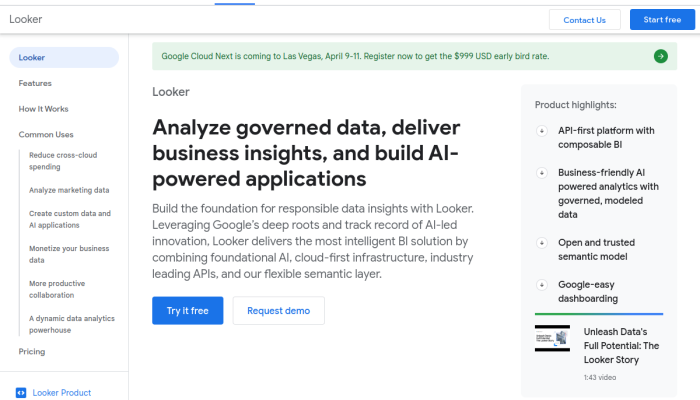
Top Looker Alternatives & Competitors based on 300 Reviews
Reviews collected from
gartner.com
capterra.com
trustpilot.com
trustradius.com
sitejabber.com

facebook.com
alternativeto.net
.
| Brand | Pricing |
|---|---|
|
|
|
|
☆ ☆ |
|
|
☆ ☆ |
|
|
☆ |
|
|
☆ ☆ |
Offers a free Basic plan, paid Plus and Business plans, and custom Scale pricing. Paid plans are primarily based on session volume and feature needs; published starting prices are approximately $39/month for Plus and $99/month for Business. |
|
|
Pricing is based mainly on event volume, with package sizes for different usage levels and options for larger customers. The page has historically listed plans starting around $299/month; confirm current rates and limits on the pricing page. |
|
☆ |
|
|
☆ |
Includes a free tier with up to 1 million monthly events. Paid Growth pricing scales with usage, while Enterprise pricing is custom; costs can depend on event volume and selected features. |
|
☆ ☆ |
Tableau Cloud subscriptions are priced per user/month, with Standard-tier list prices of about $75 for Creator, $42 for Explorer, and $15 for Viewer. Enterprise tiers cost more; prices are generally billed annually. |
Why should you be looking for a Looker alternative?
Teams may seek Looker alternatives for specialized analytics features, a simpler interface, lower costs, or better support. This guide compares Amplitude, Google Analytics, Heap Analytics, Hotjar, Kissmetrics, Microsoft Power BI, Mixpanel, and Tableau, focusing on their features, pricing, and ideal users.
Quick Overview of Top Looker Competitors
- Amplitude — Best Looker Alternative for Product Analytics: Focuses on user behavior, with tools for funnels, retention, behavioral cohorts, and product experimentation.
- Google Analytics — Best Looker Alternative for Website and App Analytics: GA4 provides event-based web and app measurement, audience insights, and integrations with Google Ads and BigQuery.
- Heap Analytics — Best Looker Competitor for Automatic Data Capture: Automatically captures many user interactions, making it easier to explore journeys and build funnels without defining every event in advance.
- Hotjar — Best Looker Alternative for Qualitative Insights: Adds heatmaps, session recordings, and feedback surveys to help teams understand why visitors behave as they do.
- Kissmetrics — Best Looker Competitor for Customer and Revenue Analytics: Emphasizes person-based behavioral analysis, with reporting for funnels, cohorts, and customer revenue.
- Microsoft Power BI — Best Looker Alternative for Microsoft-Centric BI: Offers interactive reports and dashboards, with strong connections to Microsoft products such as Excel, Azure, and Microsoft 365.
- Mixpanel — Best Looker Alternative for Event-Based Product Analytics: Specializes in analyzing user actions through reports for funnels, retention, and cohorts.
- Tableau — Best Looker Competitor for Data Visualization: Known for interactive visual exploration and dashboards, with a broad range of data connectors.
Looker Alternatives: Feature by Feature Comparison
| Product | Key features | How it compares with Looker | Distinctive benefits for users |
|---|---|---|---|
| Amplitude | Product and behavioral analytics; event segmentation; funnels; retention and cohort analysis; user journeys; experimentation and feature management; session replay capabilities. | Looker is designed for governed BI across many business domains, with metrics defined through LookML and data explored from connected warehouses. Amplitude is more purpose-built for analyzing how people use a digital product and acting on those findings. | Product teams can move directly from questions such as “Where do users drop off?” to funnel, retention, and journey analysis. Its product-focused workflows can make behavioral analysis faster than building comparable reports in a general BI tool. Experimentation and feature-management capabilities can also connect analysis to product changes. |
| Google Analytics | GA4 provides event-based web and app measurement, acquisition and engagement reports, conversion and revenue tracking, audience creation, attribution reporting, and integrations such as BigQuery export. | Google Analytics is focused on measuring digital properties and marketing performance; Looker is a broader BI platform for analyzing data across business systems. Looker can complement GA4 by combining exported or connected analytics data with CRM, finance, and other warehouse data. | Useful for teams that need out-of-the-box website and app measurement, campaign reporting, and audience insights without first designing a general-purpose BI model. GA4’s event collection and marketing-oriented reports are more specialized than Looker’s default capabilities. |
| Heap Analytics | Automatic capture of many user interactions; event definition and analysis; funnels; journeys; segmentation; retention analysis; and session replay capabilities. Teams can define events after collection and analyze previously captured activity. | Looker typically depends on data being modeled and made available from a warehouse or connected source. Heap’s automatic capture is aimed at reducing the upfront work of instrumenting product interactions; Looker offers broader cross-source reporting and governed metric definitions. | Teams can investigate user behavior without having anticipated and instrumented every event in advance. The ability to define events retroactively can help product managers answer new questions about past activity and identify friction in user flows. |
| Hotjar | Heatmaps showing where visitors click, move, and scroll; session recordings; on-site surveys; feedback collection; and tools for understanding visitor experience. | Looker is strongest at aggregating, modeling, and reporting structured business data. Hotjar is more directly suited to qualitative website research: it shows what visitors did on a page and can collect their explanations. | Heatmaps and recordings make page-level usability problems tangible, while surveys add visitor feedback. This is especially useful to UX, design, and conversion teams investigating why users struggle—not just how often a metric changes. |
| Kissmetrics | Person-based analytics; event and revenue tracking; funnel and cohort analysis; campaign and customer behavior reporting; and tools for examining conversion and retention. | Looker supports reusable, governed analysis across a wide range of warehouse data. Kissmetrics is more focused on connecting individual customer behavior to marketing, conversion, and revenue outcomes, with workflows tailored to those questions. | Its person-oriented view can help marketers and growth teams follow behavior through a customer journey and relate campaigns or product actions to conversion and revenue. That focus can be more convenient than assembling the same customer-level analyses in a general BI environment. |
| Microsoft Power BI | Interactive reports and dashboards; Power Query for data preparation; DAX for calculations; reusable semantic models; a broad set of data connections; sharing through Power BI Service; and integration with Microsoft tools. | Both Power BI and Looker support governed models and interactive reporting. Power BI has a particularly close fit with Microsoft 365, Excel, Azure, and the broader Microsoft data stack. Looker’s LookML provides a code-based modeling layer and is commonly used with cloud data warehouses such as BigQuery. | Excel users can transition more easily into self-service reporting, and organizations already using Microsoft services may benefit from familiar workflows and integrations. Power Query and DAX give analysts substantial control over data shaping and calculations. |
| Mixpanel | Event-based product analytics; funnels; retention reports; user and group analysis; cohorts; user flows; and, depending on the product configuration, capabilities such as session replay and experimentation. | Looker is suited to cross-functional BI and consistent reporting over warehouse data. Mixpanel is optimized for interactive product analytics, where teams need to explore event behavior, funnels, and retention quickly. | Product teams can investigate questions such as which actions predict retention or where a flow loses users using purpose-built reports. Its event-analysis workflow is a strong fit for rapid product decisions, without requiring every question to be turned into a conventional BI dashboard. |
| Tableau | Visual analytics and interactive dashboards; drag-and-drop exploration; connections to multiple data sources; data preparation through Tableau Prep; sharing and governance features; and newer AI-assisted and metrics experiences such as Tableau Pulse. | Tableau and Looker both support dashboards, exploration, and governed analytics. Tableau is especially known for visual exploration and flexible dashboard construction; Looker emphasizes a centralized LookML model to define and reuse business metrics. | Analysts can build and refine visual explanations with considerable flexibility, making Tableau useful for exploratory analysis and presentation-rich dashboards. Its visualization-first approach can be more approachable when the task is to discover or communicate patterns visually. |
The Google Analytics link provided opens an Analytics provisioning flow rather than a public product-features page. The GA4 capabilities above describe the product generally; exact features and availability can vary by setup and account.
Integration Capabilities for each Looker competitor
| Alternative | Supported Integrations | Compatibility Notes |
|---|---|---|
| Amplitude | Warehouses and storage: Snowflake, BigQuery, Amazon Redshift, Databricks. Data pipelines: Segment, mParticle, RudderStack. Engagement and marketing: Braze, Iterable, Salesforce, Google Ads, Meta Ads. | Overlaps with Looker on warehouse connectivity, but focuses on product-event analysis and sending audience or behavioral data to other tools. Looker is more centered on querying and modeling data in a warehouse. |
| Google Analytics | Google products: Google Ads, BigQuery, Search Console, Firebase, AdSense, and Google Marketing Platform products such as Campaign Manager 360 and Display & Video 360. | More tightly integrated with Google’s advertising and measurement ecosystem than Looker. BigQuery export provides a route for broader warehouse analysis in Looker or other BI tools. |
| Heap Analytics | Warehouses: Snowflake, BigQuery, Amazon Redshift. Data platforms: Segment and other customer-data platforms. Business and marketing tools: Salesforce, HubSpot, and marketing automation platforms. | Like Amplitude, Heap emphasizes product analytics and behavioral data collection. Warehouse integrations make its data available for Looker-style cross-source reporting; confirm specific connectors and plan availability with Heap. |
| Hotjar | Analytics and data platforms: Google Analytics, Segment. Business and workflow tools: HubSpot, Slack, Zapier; Zapier can connect Hotjar workflows to additional apps. | Complements Looker rather than replacing it: Hotjar focuses on heatmaps, recordings, and feedback, while Looker is for modeled reporting. Its integrations connect qualitative user research with analytics and workflow tools. |
| Kissmetrics | Commerce and payments: Shopify, WooCommerce, Stripe. Data and automation: Segment, Zapier. Other business tools: integrations vary by setup and may use APIs or third-party connectors. | Primarily supports customer and funnel analytics. Compared with Looker’s warehouse-oriented analysis, Kissmetrics is more focused on tracking customer journeys; verify current connector availability in its documentation. |
| Microsoft Power BI | Analytics and SaaS services: Google Analytics, Salesforce, Adobe Analytics, GitHub, Zendesk, QuickBooks Online. Data platforms: Snowflake, Google BigQuery, Azure services, and common SQL databases. | Closest to Looker as a general-purpose BI alternative. Both connect to data platforms and business applications; Power BI is especially aligned with Microsoft services, while Looker is designed around its modeling layer and warehouse connections. |
| Mixpanel | Warehouses: Snowflake, BigQuery, Amazon Redshift, Databricks. Data pipelines: Segment, RudderStack, mParticle. Engagement and marketing: Braze, Iterable, Salesforce, Google Ads, Meta Ads. | Similar to Amplitude: strong for product-event analysis and sending data to engagement platforms. Warehouse integrations can support combined reporting in Looker, while Mixpanel centers on product analytics. |
| Tableau | Warehouses and databases: Snowflake, Google BigQuery, Amazon Redshift, Databricks, SQL Server, Oracle. Business and productivity tools: Salesforce, Google Sheets, Excel, Slack. | A direct BI competitor to Looker, with broad connectors for databases and business tools. Both can analyze warehouse data; Tableau emphasizes visual exploration, while Looker adds a centralized modeling layer for governed metrics. |
Pros and Cons of each Looker Alternative
The alternatives below serve different needs: Amplitude, Heap, Hotjar, Kissmetrics, and Mixpanel specialize in product or customer analytics; Google Analytics focuses on web and app measurement; Power BI and Tableau are general BI platforms. Looker is most differentiated by its warehouse-centered, code-defined semantic layer for sharing governed metrics across reports and teams.
| Alternative | Pros | Cons |
|---|---|---|
| Amplitude | Strong for product analytics: event-based funnels, retention, cohorts, and user journeys. Product teams can investigate behavior without building every view in a general BI tool. | Less suited to broad, cross-functional BI and governed reporting across many business data sources. Results depend on event instrumentation and the product’s analytics model; Looker is generally more flexible for warehouse-wide analysis. |
| Google Analytics | Purpose-built for website and app measurement, with standard acquisition and engagement reports and close integration with Google’s advertising ecosystem. GA4 data can be exported to BigQuery for further analysis. | Not a general-purpose BI or warehouse modeling platform. Custom analysis across business systems and consistent organization-wide metric definitions may require BigQuery or another tool; GA4’s reporting model is less flexible than Looker’s for that work. |
| Heap Analytics | Automatic event capture can reduce the need to define every interaction in advance. Useful for exploring user behavior, funnels, and journeys, including questions that arise after data collection. | Focused on digital-product behavior rather than broad BI. Automatically captured data may need cleanup and interpretation, and complex reporting across warehouse data typically calls for additional modeling or tools such as Looker. |
| Hotjar | Provides qualitative website research tools such as heatmaps, session recordings, and feedback collection. These can help explain why users behave a certain way. | Not a substitute for a governed BI layer or comprehensive quantitative analysis. Its visual and feedback tools cover a narrower set of questions than Looker’s warehouse-backed reporting. |
| Kissmetrics | Focuses on person-level customer journeys and conversion analysis, which can be useful for marketing and ecommerce teams tracking how users progress toward key actions. | Narrower in scope than a general BI platform, especially for reporting across varied business datasets. Its customer-focused model and reports are less suited to organization-wide metrics and custom warehouse analysis than Looker. |
| Microsoft Power BI | Broad data connectivity and tight integration with Microsoft products. Its semantic models, DAX calculations, and report-building tools support a wide range of business reporting; licensing can also be economical for Microsoft-centric organizations. | Uses its own modeling and calculation approach rather than LookML, so existing Looker models and workflows do not transfer directly. Managing shared definitions across reports and teams requires deliberate model and deployment practices. |
| Mixpanel | Strong for event-based product analytics, including funnels, retention, cohorts, and behavioral exploration. Lets product teams answer common usage questions without building a full BI reporting workflow. | Less suited to broad business reporting and custom analysis across diverse warehouse datasets. Event instrumentation and product-specific analysis are central; Looker is generally a better fit for shared, warehouse-wide metrics. |
| Tableau | Strong for interactive visual analysis and flexible dashboards. Connects to many data sources and can serve teams that prioritize visual exploration and presentation. | Uses Tableau’s own data models and calculation workflows rather than LookML. Maintaining consistent definitions across workbooks may require governance work; Looker is more directly built around a centrally defined, code-based semantic layer. |
Looker vs Competitors: Traffic & Marketing Comparison
Traffic Comparison: Organic traffic is unavailable for all nine brands: each entry is empty. Therefore, the data cannot identify a highest- or lowest-traffic brand or support a meaningful traffic comparison. Empty values should not be interpreted as zero traffic.
Top Performing Keywords: The keyword data lists Looker for 16 terms, Amplitude 24, Heap Analytics 6, Hotjar 2, Kissmetrics 1, Microsoft Power BI 12, Mixpanel 20, and Tableau 20; Google Analytics has no entries. All shown values are 1, but without clarification, search volume, or traffic attribution, they don’t establish which keywords drive visits or perform best. Amplitude’s list leans into AI and data management; Hotjar and Kissmetrics have narrower, distinct themes.
Visibility and Reach: By keyword-list breadth, Amplitude has the most entries, followed by Mixpanel and Tableau; this suggests broader recorded topic coverage, not proven traffic leadership. Hotjar stands out in social media analytics and website monitoring, while Kissmetrics is represented in digital marketing analytics. Google Analytics has no keyword data. Since traffic is missing and the meaning of the “1” values is unclear, actual visibility and reach cannot be ranked confidently.
Other “Looker” Alternatives & Competitors that you can find for free
| Competitor | Key features | Notable trends | Value proposition |
|---|---|---|---|
| Qlik Sense | Associative analytics engine, interactive dashboards, data integration and governance tools | Expanding AI-assisted analytics and cloud data integration | Helps users explore data from multiple sources and uncover relationships without being limited to predefined queries |
| ThoughtSpot | Search- and natural-language-driven analytics, interactive dashboards, AI-generated insights | Moving toward conversational analytics and AI-powered answers | Makes self-service analytics accessible to business users who want to ask questions in plain language |
| Sisense | Embedded analytics, customizable dashboards, APIs and developer tools | Greater focus on AI features and analytics embedded in products | Lets companies build branded analytics into their own applications and customer experiences |
| Domo | Cloud-based dashboards, data connectors, data preparation and collaboration tools | Adding AI-assisted analysis and expanding cloud data workflows | Combines data access, visualization and collaboration in one platform, with a strong emphasis on ease of deployment |
| Sigma Computing | Spreadsheet-style interface, live querying of cloud data warehouses, governed workbooks | Bringing familiar spreadsheet workflows to cloud-scale analytics | Enables business teams to analyze warehouse data using a familiar interface, while working with large datasets without exporting them |

