
Top Typeform Alternatives & Competitors based on 75 Reviews
Reviews collected from
trustpilot.com
capterra.com
softwareadvice.com
trustradius.com
.
| Brand | Pricing |
|---|---|
|
|
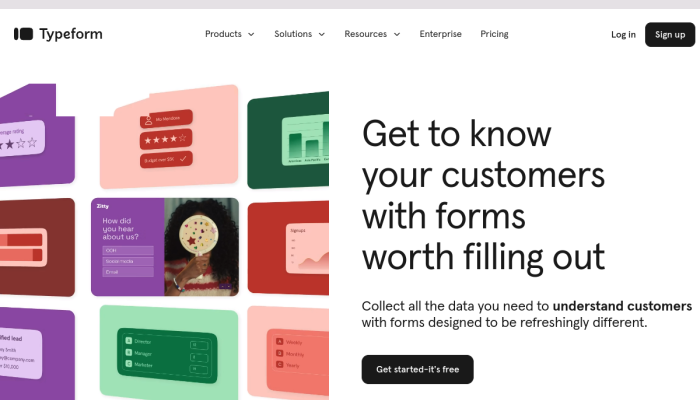
Typeform offers a tiered pricing model with four plans: Free, Basic, Pro, and Business. The Free plan allows users to create unlimited typeforms but limits responses to 10 per month. The Basic plan starts at $35/month, offering additional features like custom branding and unlimited responses. The Pro plan, priced at $70/month, adds features like logic jumps and integrations, while the Business plan at $120/month provides advanced features like Collaboration and enhanced security. |
|
|
|
|
|
Jotform has four pricing tiers: Free, Bronze, Silver, and Gold. The Free plan allows users to create up to 5 forms with 100 submissions per month. The Bronze plan starts at $39/month, increasing form limits and submissions. The Silver plan is $49/month and provides additional features such as increased storage and payment processing options. The Gold plan is $99/month, offering the highest limits and priority support. |
|
☆ ☆ |
SurveyMonkey offers several pricing tiers: Basic, Advantage, Premier, and Team Plan. The Basic plan is free with limited features and up to 10 questions per survey. The Advantage plan starts at $34/month, providing unlimited questions and responses. The Premier plan costs $99/month with advanced features like A/B testing. For teams, the Team Plan pricing varies based on the number of users, offering collaboration features and enhanced reporting. |
Why should you be looking for a Typeform alternative?
Users often seek alternatives to Typeform due to specific feature needs, budget constraints, ease of use, and varying support options. While Typeform excels in design and user experience, some may prioritize advanced analytics, integration capabilities, or lower pricing. Google Forms, JotForm, and SurveyMonkey emerge as strong contenders, each catering to different user requirements. This article explores their unique features, pricing structures, and target demographics to help users make informed decisions tailored to their needs.
Quick Overview of Top Typeform Competitors
-
Google Forms – Most Accessible Typeform Alternative
- Completely free to use with no premium tiers, making it an ideal choice for budget-conscious users.
- Seamless integration with Google Workspace apps (Docs, Sheets, etc.) for easy data management and collaboration.
- Simple, straightforward interface with basic customization options for surveys and feedback collection.
-
JotForm – Best Feature-Rich Typeform Competitor
- Offers a large variety of templates and form elements, allowing for extensive customization.
- Conditional logic features to tailor the survey experience based on user responses.
- Integration with numerous third-party apps and payment gateways, making it suitable for businesses looking to collect payments or detailed feedback.
-
SurveyMonkey – Most Comprehensive Typeform Competitor
- Advanced analytics features and reporting tools for in-depth insight into survey responses.
- Extensive question bank and pre-built surveys to enhance user experience and efficiency.
- Strong data security measures and compliance options for organizations that require robust privacy protections.
Typeform Alternatives: Feature by Feature Comparison
| Feature | Google Forms | JotForm | SurveyMonkey | Typeform |
|---|---|---|---|---|
| User Interface | Simple and clean interface with easy navigation. | Highly customizable with drag-and-drop features. | Intuitive, but can be overwhelming with many options. | Unique conversational interface promotes engagement. |
| Templates | Offers basic templates; users can create their own. | Over 10,000 templates, highly customizable. | Variety of templates for different survey types. | Focused on interactive storytelling with templates. |
| Question Types | Basic options include multiple choice, short answer, etc. | Extensive question types including widgets (e.g., rating scales, image uploads). | Broad range of question types, including advanced logic. | Conversational format allows various question types with multimedia. |
| Logic/Branching | Basic conditional logic available. | Advanced conditional logic for personalized forms. | Extensive branching logic capabilities for dynamic surveys. | Logical paths and branching for tailored user experiences. |
| Collaboration | Real-time collaboration with Google Workspace integration. | Collaborative tools available, but less streamlined than Google. | Team collaboration features, but can lack real-time editing. | Limited collaboration features compared to Google. |
| Integrations | Integrates seamlessly with Google Workspace and other third-party apps. | Over 100 integrations, including payment processors like PayPal. | Integrates with numerous apps, including CRM and email marketing tools. | Some integrations but fewer compared to others. |
| Reporting/Analytics | Basic analytics directly in the app. | Comprehensive analytics with visual reporting. | Advanced analytics and data segmentation options. | Interactive reporting, but less detailed than others. |
| Mobile Responsiveness | Fully mobile-optimized forms. | Mobile-responsive forms with customizable designs. | Mobile-friendly surveys with apps available. | Exceptional mobile responsiveness with a focus on UX. |
| Pricing | Free for all users with unlimited forms. | Free tier available, with paid plans for advanced features. | Offers free-tier with significant limitations; tiered pricing for more features. | Free plan available, but premium features locked behind paid plans. |
| Security Features | Basic security with Google account authentication. | Advanced security features including HIPAA compliance. | Extensive security features including data encryption. | Security measures present, but not as advanced as JotForm or SurveyMonkey. |
| Customization Options | Limited custom branding and design. | High customization capability for branding. | Moderate customization for surveys, but templates are mostly standardized. | Customizable design but focuses on interactive use more than branding. |
| Payment Processing | No payment integration available. | Supports payments directly through forms. | Payment integration available on higher-tier plans. | No direct payment processing; focuses on engagement. |
| Customer Support | Community forums and limited help articles. | 24/7 customer support with extensive resources. | Good customer support options including live chat. | Limited support options for free users; better for paid plans. |
| Unique Selling Points | Simple to use with a familiar Google ecosystem; great for education. | Versatile form builder with advanced features; ideal for businesses. | Strong analytical tools; suited for complex surveys. | Engaging form experience; best for storytelling and lead generation. |
Summary of Unique Advantages:
- Google Forms excels with its seamless integration into the Google ecosystem and ease of use for educational purposes.
- JotForm impresses with its extensive templates, customizable options, and robust payment and security features, making it suitable for many business needs.
- SurveyMonkey stands out due to its advanced analytics and data segmentation, helping users gain deeper insights from surveys.
- Typeform, while offering a unique user experience, tends to focus more on engagement than on analytic depth or extensive integrations.
Integration Capabilities for each Typeform competitor
| Alternative | Supported Integrations | Compatibility Notes |
|---|---|---|
| Typeform | – Google Sheets – Slack – Mailchimp – HubSpot – Zapier – Stripe – Trello |
Seamless data transfer and automation with many tools. |
| Google Forms | – Google Sheets – Google Drive – Zapier – Add-ons (like Formfacade, FormRanger) |
Best suited for Google ecosystem; limited external APIs. |
| JotForm | – Google Sheets – Dropbox – Salesforce – Mailchimp – HubSpot – Zapier – Trello |
Strong e-commerce and CRM integrations; robust API access. |
| SurveyMonkey | – Google Sheets – Salesforce – Mailchimp – Zapier – Tableau – Slack |
Extensive analytics and reporting tools for deeper insights. |
This table provides a clear comparison of the major third-party integrations offered by each form builder, as well as helpful notes on their compatibility with popular survey and feedback tools.
Pros and Cons of each Typeform Alternative
Here’s a comparison table listing the primary pros and cons of Google Forms, JotForm, and SurveyMonkey when compared to Typeform:
| Alternative | Pros | Cons |
|---|---|---|
| Google Forms | – Free to use with a Google account | – Limited customization options |
| – Integrates seamlessly with Google Workspace | – Basic analytics and reporting | |
| – Easy to use for quick surveys | – Lacks advanced survey features | |
| – Real-time collaboration options | – Form aesthetics are less engaging | |
| – Data automatically stored in Google Sheets | ||
| JotForm | – High level of customization and design | – Pricing can get expensive with advanced features |
| – Extensive integration options | – Learning curve for advanced functionalities | |
| – Offers conditional logic and calculations | – The free tier has limitations on submissions | |
| – Mobile-friendly forms | – User interface may feel cluttered to some | |
| SurveyMonkey | – Advanced analytics and reporting tools | – More costly than some alternatives |
| – Easy to deploy and distribute | – Limitations on question types in free version | |
| – Good templates and survey types available | – Can be less intuitive for first-time users | |
| – Supports branching logic | – Branding options can be limited on free tier |
This table highlights the specific strengths and weaknesses of each alternative compared to Typeform, focusing on relevant aspects for typical use cases.
Typeform vs Competitors: Traffic & Marketing Comparison
Traffic Comparison: The organic traffic data for the brands—Typeform, Google Forms, JotForm, and SurveyMonkey—indicates a complete absence of recorded traffic for all except Typeform. While specific figures were not provided, Typeform’s visibility is more apparent through its dynamic keyword rankings. Google Forms is likely to have considerable traffic due to its integration with Google’s ecosystem, yet no specific traffic metrics are available. JotForm and SurveyMonkey lack documented traffic, suggesting they may lag in organic reach.
Top Performing Keywords: Typeform dominates with several top-ranking keywords like "workflow tools" and "ai marketing platform," effectively targeting niche markets in automation and marketing through AI. Google Forms, on the other hand, showcases strong visibility for utility-based keywords associated with Google accounts, such as "google login" and "gmail workspace." This focus on practical usage indicates an effective keyword strategy centered on user needs. In contrast, JotForm and SurveyMonkey show no substantive keyword contributions, thereby lacking visibility.
Conclusions on Visibility and Reach: Based on organic traffic and keyword rankings, Typeform exhibits the strongest online visibility, particularly in the AI and marketing sectors. Its strategic keyword focus enhances its reach in targeted niches. In contrast, Google Forms likely benefits from its integration within Google’s suite, although no traffic insights were available. JotForm and SurveyMonkey, with no traffic or keyword performance data, appear to lack significant online presence. Overall, Typeform leads in brand visibility and keyword leveraging, while the others trail in reach.
Other “Typeform” Alternatives & Competitors that you can find for free
Here are five alternatives and competitors to Typeform, along with their key features, strengths, and value propositions:
-
Microsoft Forms
- Key Features: Simple form creation, real-time collaboration, seamless integration with Microsoft 365 apps, branching logic, and templates.
- Strengths: Ease of use within the Microsoft ecosystem, real-time collaboration for teams, and excellent data visualization in Excel.
- Value Proposition: Ideal for organizations already using Microsoft products seeking a straightforward and integrated solution for surveys and quizzes.
-
Formstack
- Key Features: Drag-and-drop form builder, advanced conditional logic, payment processing, integrations with various third-party applications, and data security features.
- Strengths: Versatility for businesses with various use cases (e.g., lead generation, registration forms), strong compliance and security features.
- Value Proposition: A powerful tool for businesses needing customizable forms that integrate seamlessly with their existing workflows while ensuring compliance.
-
Zoho Forms
- Key Features: Custom templates, drag-and-drop interface, multiple field types, integrations with Zoho Suite and other apps, data analysis, and offline form capability.
- Strengths: Robust features for small to medium-sized businesses, strong integration with other Zoho products.
- Value Proposition: An affordable option for businesses looking for a comprehensive form solution with a focus on customization and integration with CRM systems.
-
Wufoo
- Key Features: Easy form builder with customizable templates, payment integration, reporting features, and a variety of integrations.
- Strengths: User-friendly interface and strong backend reporting tools.
- Value Proposition: An accessible tool for users at all skill levels, ideal for those needing quick setup and basic survey functionalities.
-
Formsite
- Key Features: Pre-built templates, strong reporting options, secure data collection, and integrations with various platforms.
- Strengths: Focus on security and compliance, especially useful for industries handling sensitive data.
- Value Proposition: Excellent for organizations that prioritize data security and need advanced reporting features in their forms and surveys.
These alternatives cater to diverse user needs, ranging from startups to larger organizations, while providing various capabilities and integrations.

