
Top Salesforce Alternatives & Competitors based on 2228 Reviews
Reviews collected from
capterra.com
trustpilot.com
trustradius.com
sitejabber.com
gartner.com
reviews.io
.
| Brand | Pricing |
|---|---|
|
|
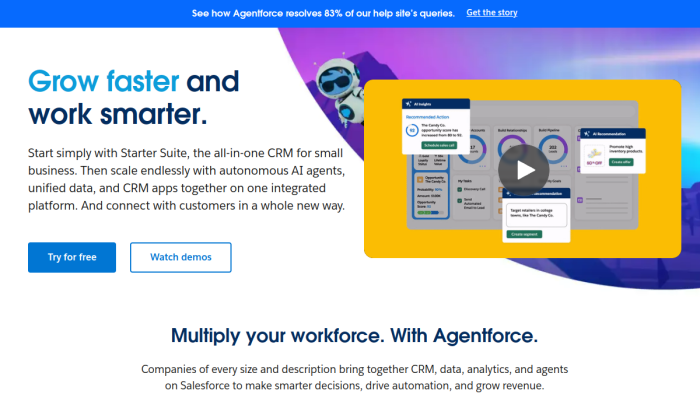
Salesforce Essentials offers a straightforward pricing model with plans starting at $25 per user per month, designed for small businesses. It includes essential CRM features like account, contact, and opportunity management, along with basic reporting and dashboards. |
|
☆ ☆ |
ActiveCampaign provides various pricing tiers starting from $9/month for the Lite plan. More advanced features are available in higher tiers, such as Plus, Professional, and Enterprise, which offer additional functionalities like automation, CRM, and custom branding as the price increases. |
|
☆ |
Close offers a pricing structure starting at $29 per user per month, with three plans available: Basic, Professional, and Business. Each plan includes features like calling, email, SMS, and reporting, with increasing complexity and functionality with higher-priced plans. |
|
☆ ☆ ☆ |
HubSpot’s pricing is categorized into Free, Starter, Professional, and Enterprise tiers, with Starter plans beginning at $45/month. Prices increase based on features such as CRM, marketing, sales, and service hubs, providing scalable solutions for growing businesses. |
|
☆ ☆ |
Keap’s pricing starts at $79/month for the Lite plan, with options for Pro and Max plans. Each tier includes CRM capabilities, marketing automation, and eCommerce features. Higher tiers provide more functionalities like advanced automation and reporting tools. |
|
|
Marketo does not publicly disclose specific pricing, as it varies based on customer needs and usage. They provide scalable solutions with advanced marketing automation features, targeting mid-sized to enterprise-level businesses. Quotes are typically provided during a consultation. |
|
☆ |
Pipedrive offers a tiered pricing strategy beginning at $14.90 per user per month for the Essential plan. Higher tiers such as Advanced, Professional, and Enterprise add more features including automation, reporting, and integrations tailored to varying business requirements. |
|
☆ ☆ ☆ |
Zendesk Sales pricing starts from $19 per user per month for the Essential plan. There are also Professional and Enterprise tiers that offer progressively sophisticated features, including CRM and analytics capabilities aimed at enhancing sales workflows. |
|
☆ ☆ ☆ |
Zoho provides a variety of plans including a free tier, with paid plans starting at $12 per user per month. Their offerings cater to small to medium-sized businesses and include CRM, email marketing, and project management tools, offering flexibility according to user needs. |
Why should you be looking for a Salesforce alternative?
Users often seek alternatives to Salesforce due to specific feature needs, ease of use, budget constraints, and support options. Many organizations require solutions that align more closely with their workflows or provide more intuitive interfaces. Budget considerations can prompt a search for cost-effective options with solid functionality. Support quality also plays a critical role. Top alternatives include ActiveCampaign, Close.io, HubSpot, Keap, Marketo, Pipedrive, Zendesk, and Zoho. This blog will explore their features, pricing, and target users to help you make an informed decision.
Quick Overview of Top Salesforce Competitors
-
ActiveCampaign – Best Salesforce Alternative for Marketing Automation
Offers robust marketing automation features, including email marketing, segmentation, and workflows. Its dual focus on automation and CRM makes it a strong Salesforce competitor for small to mid-sized businesses. -
Close.io – Best Salesforce Competitor for Sales Teams
Designed for sales teams, it emphasizes calling and email communication directly from the platform. It offers built-in calling and SMS features, making it a streamlined alternative without the complexity of Salesforce. -
HubSpot – Top Salesforce Alternative for Inbound Marketing
Provides a comprehensive suite of inbound marketing and sales tools, with a free tier making it accessible for startups. HubSpot’s intuitive interface and integrated features make it a leading Salesforce competitor. -
Keap – Easiest Salesforce Alternative for Small Businesses
Known for its user-friendly interface, Keap offers automation features tailored to small businesses. Its all-in-one CRM, marketing automation, and eCommerce capabilities serve as a straightforward alternative to Salesforce. -
Marketo – Best Salesforce Alternative for Enterprise Marketing
Specializes in advanced marketing automation and lead management, appealing to enterprises with diverse marketing campaigns. Its depth of features positions it as a powerful Salesforce competitor for large organizations. -
Pipedrive – Cheapest Salesforce Competitor with Pipeline Management
Focuses on sales pipeline management with a simple and visual approach. Its affordability and user-friendly interface make it an attractive alternative to Salesforce for sales-driven teams. -
Zendesk – Best Salesforce Alternative for Customer Support
Primarily focused on customer service and support, Zendesk integrates CRM functionalities with a strong ticketing system. Its emphasis on customer experience distinguishes it as a leading Salesforce competitor. -
Zoho – Most Versatile Salesforce Alternative for Features
Offers a wide range of business applications alongside CRM capabilities, including finance and HR tools. Zoho’s cost-effective pricing and customizable options position it as a multifaceted Salesforce alternative for businesses of all sizes.
Salesforce Alternatives: Feature by Feature Comparison
| Feature | ActiveCampaign | Close.io | HubSpot | Keap | Marketo | Pipedrive | Zendesk | Zoho | Salesforce Comparison |
|---|---|---|---|---|---|---|---|---|---|
| CRM Capabilities | Robust CRM with unique automation features | Built specifically for sales teams | Integrated marketing, sales, and service CRM | Personalized CRM with automation | Advanced marketing automation plus CRM | Sales-centric with pipeline management | Customer support-focused CRM | Comprehensive CRM functionality | Salesforce provides a traditional CRM but lacks specialized automation in some areas. |
| Email Marketing | Advanced automation with predictive sending | Limited email capabilities | A rich set of email tools | Automated email campaigns | Strong email marketing with segmentation capabilities | Basic email marketing | Integrates well with service but lacks advanced features | Solid email marketing across various Zoho products | Salesforce’s email marketing solution is basic in comparison. |
| Marketing Automation | Top-notch automation features for nurture campaigns | Basic automation | Extensive automation for email, social media, and ads | Automation focused on lead management | Powerful B2B marketing automation | Sales automation focused on deal tracking | Limited marketing automation capabilities | Strong marketing automation across the suite | Salesforce offers automation but can be less intuitive. |
| Sales Pipeline Management | Visual CRM that supports lead scoring and insights | Customizable and intuitive sales pipelines | Comprehensive tools for tracking the sales funnel | Simple pipeline management with automation | Advanced analytics for pipeline effectiveness | Seamless pipeline management with visual representation | Not specifically pipeline-focused, more service-oriented | Configurable sales pipeline management across various modules | Salesforce excels here, with advanced analytics capabilities. |
| Reporting and Analytics | Detailed reporting on customer interactions and campaigns | Real-time sales reporting | Customizable reporting across marketing and sales efforts | Some reporting tools, focused on KPIs | Advanced analytics with AI-driven insights | Visual reporting with drag-and-drop capabilities | Basic reporting with real-time tracking | Advanced reporting capabilities across the entire suite | Salesforce is strong in analytics but can be complex. |
| Integrations | Supports numerous third-party apps, strong native integrations | Integrates with many communication tools | Extensive app marketplace for seamless integrations | Integrates with important business applications | Strong integrations for marketing tools | Numerous third-party integrations available | Integrates well with various service tools | Large range of integrations across multiple domains | Salesforce offers robust integration capabilities but can be limited by cost. |
| Customer Support | 24/7 support via chat, email, and phone | Limited support channels | Comprehensive customer support including extensive resources | Personalized support available | Advanced support options for B2B marketing | Effective support, focused on sales teams | Strong support channels with ticketing systems | Excellent customer service with multiple resources | Salesforce offers strong support but can be costly. |
| Pricing | Competitive pricing with tiered features | Transparent pricing but limited features | Free tier available, pricing can escalate | Reasonably priced with key features included | Pricing varies, targeting larger enterprises | Affordable with a focus on small to medium businesses | Flexible pricing plans depending on business needs | Generally higher-priced but justified by features | Salesforce is often seen as expensive relative to feature sets. |
| User Experience | Intuitive interface with advanced UX features | Highly usable for sales teams | User-friendly with a clean interface | Simple interface designed for ease of use | Focused on enterprise users, yet navigable | Simple and intuitive UI suitable for quick adoption | User-friendly interface for support staff | Comprehensive UI catering to both sales and support | Salesforce can be seen as complex, especially for new users. |
| Mobile Accessibility | Well-designed mobile app for CRM tasks | Mobile functionality tailored to sales | Strong mobile app for on-the-go marketing and sales | Mobile-friendly interface for easy access | Mobile application geared towards B2B marketers | Mobile app focuses on sales tracking | Mobile-friendly applications for support agents | Mobile access available across various Zoho applications | Salesforce has a solid mobile presence but can be cumbersome. |
Integration Capabilities for each Salesforce competitor
| Alternative | Supported Integrations | Compatibility Notes |
|---|---|---|
| ActiveCampaign | Salesforce, WordPress, Shopify, WooCommerce, Unbounce, Facebook, Instagram, Google Ads, Slack | Strong compatibility with marketing and e-commerce platforms; direct integration with Salesforce CRM for seamless data transfer. |
| Close.io | Salesforce, Zapier, Pipedrive, Intercom, RingCentral, Slack, QuickBooks, Stripe, Zoom | Integrates well with CRM and communication tools; offers automation through Zapier. Direct integration with Salesforce allows for lead synchronization. |
| HubSpot | Salesforce, Zapier, Shopify, WordPress, Mailchimp, Slack, Google Ads, Eventbrite, Zendesk | Offers a wide range of CRM integrations; Salesforce integration primarily for syncing contacts and reports. |
| Keap | Salesforce, Zapier, Outlook, QuickBooks, Shopify, Xero, Google Calendar, Gmail | Strong e-commerce support; integrates with Salesforce for comprehensive customer relationship management features. |
| Marketo | Salesforce, Microsoft Dynamics, SAP, Adobe Experience Cloud, Google, LinkedIn, Zapier | Primarily focused on marketing automation; direct integration with Salesforce ensures alignment between marketing and sales activities. |
| Pipedrive | Salesforce, Mailchimp, Zapier, Slack, Trello, Microsoft Teams, Google Drive, Zoom | Integrates CRM functions with sales tools; Salesforce integration allows for contact and lead management continuity. |
| Zendesk | Salesforce, Shopify, WordPress, Slack, Zoom, Eventbrite, Microsoft Teams | Strong customer service orientation; Salesforce integration centers on ticket management and customer data alignment. |
| Zoho | Salesforce, Google Workspace, Mailchimp, QuickBooks, Shopify, Slack, Zendesk | Comprehensive CRM suite; integration with Salesforce enhances data flow and customer insights across platforms. |
Pros and Cons of each Salesforce Alternative
Here’s a table comparing various alternatives to Salesforce, highlighting their primary pros and cons relevant to typical use cases:
| Alternative | Pros | Cons |
|---|---|---|
| ActiveCampaign | – Strong email marketing automation capabilities | – May lack the depth of CRM features found in Salesforce |
| – Affordable pricing for small to mid-sized businesses | – Learning curve for advanced features | |
| – User-friendly interface | – Limited reporting and analytics compared to Salesforce | |
| Close.io | – Integrated calling features and built-in SMS for sales teams | – Higher cost compared to other CRM solutions |
| – Designed specifically for sales teams | – Limited marketing automation features | |
| – Simple interface tailored for sales processes | – Fewer customization options | |
| HubSpot | – Comprehensive inbound marketing tools included | – Can become expensive as you add features and users |
| – Intuitive user interface | – Some advanced sales features require premium plans | |
| – Strong community and support resources | – May not handle complex sales processes as effectively as Salesforce | |
| Keap | – Combines CRM with eCommerce and marketing automation | – Limited integrations compared to Salesforce |
| – Affordable pricing for small businesses | – Not as robust for larger companies with complex needs | |
| – Easy to set up and use | – Feature set can be limiting for advanced users | |
| Marketo | – Advanced marketing automation features and analytics | – Higher learning curve for users |
| – Ideal for larger organizations with complex marketing needs | – Price can be prohibitive for smaller businesses | |
| – Offers robust lead scoring and nurturing capabilities | – May require more technical expertise to maximize usage | |
| Pipedrive | – Focus on sales pipeline management and visual representation | – Limited marketing automation tools |
| – Affordable pricing tier for small businesses | – Fewer advanced features compared to Salesforce | |
| – Easy to use and quick to set up | – Less customization for specific business needs | |
| Zendesk | – Excellent customer support features and ticketing system | – Primarily a support tool, not a full CRM solution |
| – Strong integration options for customer service | – Limited sales-focused features compared to Salesforce | |
| – Great for businesses focused on customer satisfaction | – Can become expensive with added features | |
| Zoho | – Wide range of integrated applications (CRM, project management, finance) | – Can be overwhelming due to the extensive feature set |
| – Cost-effective pricing plan options | – User interface may feel less polished compared to Salesforce | |
| – Customizable and scalable for growing businesses | – Support can be slow at times |
This table outlines some of the key strengths and weaknesses of each alternative compared to Salesforce, focusing on typical use cases for businesses.
Salesforce vs Competitors: Traffic & Marketing Comparison
Traffic Comparison:
HubSpot and Zendesk lead the pack with consistently high organic traffic, reaching peaks of over 14 million and 41 million respectively in December 2025. ActiveCampaign shows strong growth with nearly 1.1 million visitors, while Keap’s traffic remains relatively low, maxing around 826K. Close.io and Marketo are not contributing any data, indicating low visibility or traffic activity. Salesforce’s absence in traffic data also suggests limited online reach compared to its competitors.
Top Performing Keywords:
Salesforce ranks highly on essential keywords like "customer support software" and "contact management software," suggesting a solid SEO strategy. HubSpot excels in various categories, dominating keywords related to email marketing, such as "best email marketing software." ActiveCampaign’s performance in email automation is impressive, with several top rankings. Keap focuses on marketing automation, but ranks lower overall. Notably, Close.io and Pipedrive share key keywords but lack corresponding organic traffic data, implying potential weaknesses in execution.
Conclusions on Visibility and Reach:
HubSpot and Zendesk demonstrate the strongest online visibility through high organic traffic and a wide array of top-ranking keywords. They effectively capitalize on key niches like marketing automation and customer support. ActiveCampaign is taking strides in email marketing but still trails behind. Keap and Close.io show limited reach in traffic and keyword strength. Overall, brands like HubSpot and Zendesk stand out for their extensive visibility, positioning them as leaders in their respective categories.
Other “Salesforce” Alternatives & Competitors that you can find for free
Sure! Here are five alternatives and competitors to Salesforce, along with their key features, strengths, and value propositions:
1. Freshsales (by Freshworks)
- Key Features: AI-based lead scoring, visual sales pipeline, email tracking, phone integration, and team collaboration tools.
- Strengths: User-friendly interface, strong automation capabilities, and a comprehensive free tier for small businesses.
- Value Proposition: Offers a robust CRM solution that integrates seamlessly with other Freshworks products, making it ideal for small to mid-sized businesses looking for an all-in-one platform.
2. Nutshell
- Key Features: Sales automation, email integration, pipeline management, reporting and analytics, and mobile access.
- Strengths: Simple and intuitive UI, excellent customer support, and strong sales reporting tools.
- Value Proposition: An affordable and easy-to-use CRM solution designed for small teams, helping businesses streamline their sales efforts without overwhelming complexity.
3. SugarCRM
- Key Features: Customizable dashboards, advanced analytics, workflow automation, campaign management, and customer support tools.
- Strengths: Highly customizable, strong analytics capabilities, and the ability to deploy on-premise or in the cloud.
- Value Proposition: Offers a flexible CRM solution tailored to meet specific business needs, appealing to companies that require a high degree of customization and control.
4. Insightly
- Key Features: Project management, email tracking, advanced reporting, workflow automation, and integrations with various apps.
- Strengths: Combines CRM functionality with project management, user-friendly interface, and strong integrations with tools like G Suite and Microsoft Office.
- Value Proposition: Ideal for organizations that want to manage customer relationships while also tracking projects, providing a unified platform for both sales and project management.
5. Salesflare
- Key Features: Automatically collects customer data, email tracking, activity tracking, pipeline management, and integrations with various services.
- Strengths: Strong focus on automation and ease of use, particularly for small businesses and startups.
- Value Proposition: Salesflare simplifies the CRM process with automation, allowing businesses to focus on building relationships rather than data entry, making it ideal for teams with limited resources.
These alternatives provide a range of features targeted at different business sizes and requirements, giving users ample options outside of Salesforce.

